Your Quick Search:
"Stop Sign"
Software:
Total results: 42 (Closest matches are returned first)
Page:
* On smaller devices swipe left to view hidden table data
| Ribbon/Toolbar (software) | Button | Function | Error Type | Message | ||
|---|---|---|---|---|---|---|
| Ribbon/Toolbar (software) | Button | Function | Error Type | Message | ||
| Card 1478 View | View (Revit Based) | Floor Plan | None | None |
Pipe fittings in certain views were grayed out and could not be selected, making it impossible to edit or work with them. |
|
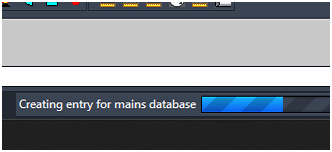
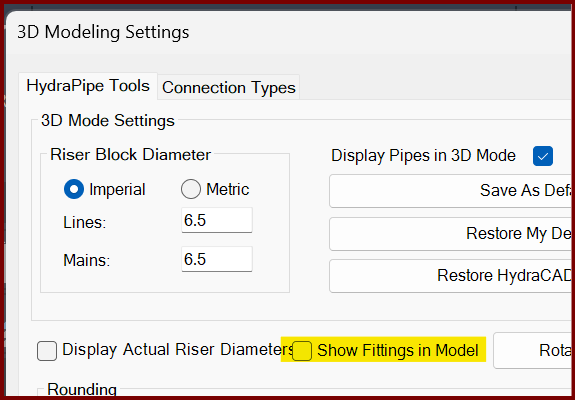
| Card 1472 View | 3D Modeling (AutoCAD Based) | Show Fittings | None | Freezes | When raising to 3D, the drawing hangs. On the progress bar at the bottom, it may be stuck at, "Creating entry for mains database"
If you turn off the Show Fittings in Model option found in the 3D Modeling Settings window (3MO command), it likely will create a model.
The only option is to End Task AutoCAD to stop the process. |
|
| Card 1184 View | Calculations (AutoCAD Based) | Start Autocalcs | None | Runtime Error | When running AutoCALC, the process stops around step 2.4c and you get a Run-time error 457, "This key is already associated with an element of this collection
|
|
| Card 71 View | Calculations (AutoCAD Based) | Start Autocalcs | None | None | When starting AutoCALC, it stops in the v50 Fuel Gauge at step 1a.4 - Calculating Total Lengths. Working on the pipe from node #### to node #### with a fitting string of ...
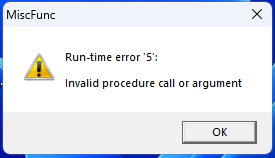
May be followed by a Runtime Error 13 or Runtime Error 5 |
|
| Card 660 View | HydraCALC (Standalone) | Calculate | Calculating | Process Error | Primary calc results are shown, and when selecting OK to continue back to the calc input screen, the two messages below are displayed, twice;
"The designated source node was not found in the list of pipes" OK "Calculation failed for an unknown reason" OK Process Error Hydcalc |
|
| Card 1061 View | HydraCALC (Revit Based) | Hydraulic Calculations | Continue | Runtime Error |
Calculation stops at Step 1a.4 - calcing total lengths Can be accompanied with a "Runtime error 5 - invalid procedure call or argument" or "Runtime error 6 - overflow" |
|
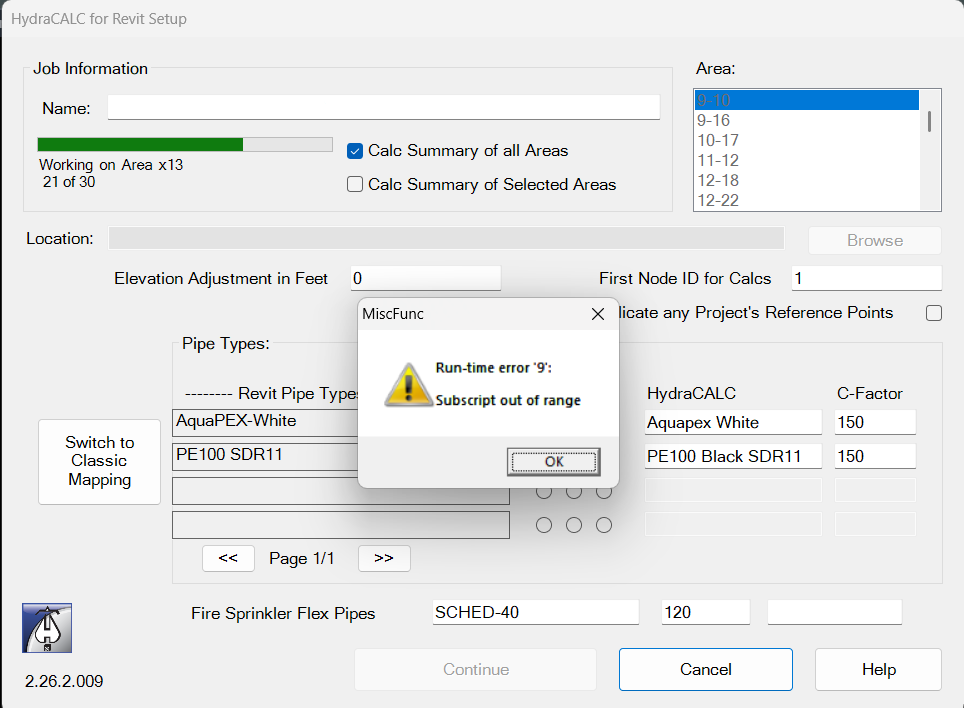
| Card 1442 View | HydraCALC (Revit Based) | Hydraulic Calculations | Continue | None | Run-time error 9: Subscript out of range Area 21 of 30
|
|
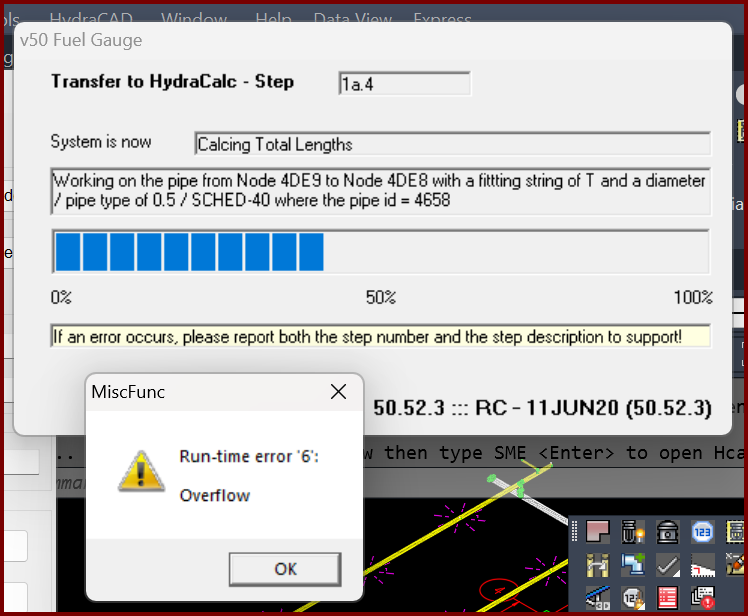
| Card 1399 View | Calculations (AutoCAD Based) | Start Autocalcs | None | Runtime 6 | When starting AutoCALC the v50 Fuel Gauge stops at step 1a.4 plus you get a Run-time error 6; Overflow
Working on pipe from Node ### to Node ### with a fitting of "?" and a diameter of / pipe type of 0.5 / SCHED-40 where the pipe id = ### The "####" values represent handles. It is recommended you use the FINDME tool to find the coordinates of the handles, this will help narrow down the cause of the error. May also see a Runtime Error 5, "invalid procedure" |
|
| Card 1415 View | HydraCALC (Revit Based) | Hydraulic Calculations | Continue | None | Calc process stops at step 1a.4 and Runtime Error 5 displays
|
|
| Card 1414 View | HydraCAD (Revit Based) | Add Device | Opening | None | When trying to open Add Device, nothing happens and Revit just hangs up / appears frozen. |
|
| Card 1413 View | All (Revit Based) | Setup | None | None | No error, but after clicking Setup, Revit freezes / stops working, and nothing else is able to be selected. |
|
| Card 926 View | HydraCALC (Standalone) | Calculate | Calculating | Message Box | Upon calculating a file, the error message, "Failed to launch C:\HES\Hydratec for revit\programs\calcdiagnose.exe" pops up.
Was preceeded by these messages;
Plus this; Number of Loops -1 and or Nodes with undesignated elevations
|
|
| Card 1375 View | HydraCALC (Revit Based) | Hydraulic Calculations | Continue | 200 Passes | This job has gone 200 or more passes without balancing.
|
|
| Card 1334 View | HydraCALC (Revit Based) | Hydraulic Calculations | Continue | None | Calc stops at step 2.2a, also creates Run-time error 5
|
|
| Card 1168 View | HydraCALC (Revit Based) | Hydraulic Calculations | Continue | None | Calc stops at Step 2.3 (Can also show Run-time error 62)
|
|
| Card 385 View | Sprinklers (AutoCAD Based) | Bay Space | None | Bad Argument | Keyboard alias "BS" Bayspace preview is not lining up the sprinklers evenly. Or Bayspace stops working with a "Bad Argument Type 2D/3D point error." message. |
|
| Card 1317 View | HydraCALC (Revit Based) | Hydraulic Calculations | Continue | None | Calc loading bar stops completely at step 1a.9
|
|
| Card 1273 View | Launching HydraCAD (AutoCAD Based) | Opening | None | None | When opening HydraCAD, you get this error message or something similar;
AutoCAD Warning The following shortcuts in the search were invalid and ignored:
After clicking OK, HydraCAD will open up, albeit very slowly, and almost every step will take an significant amount of time, for example 45 seconds to start a new drawing or to size a pipe
|
|
| Card 1079 View | HydraCALC (Revit Based) | Hydraulic Calculations | Continue | None | Failure at Step 5a.3b |
|
| Card 156 View | Listing (AutoCAD Based) | Start Autolist | None | None | No error, tagged main gets listed as a different ID example: Main D has missing pieces which appear as Main C SEARCH WORDS: missing skip not listed wrong n/a |
|
Page: