Your Quick Search:
"Align To This, That"
Software:
Total results: 1328 (Closest matches are returned first)
Page:
* On smaller devices swipe left to view hidden table data
| Ribbon/Toolbar (software) | Button | Function | Error Type | Message | ||
|---|---|---|---|---|---|---|
| Ribbon/Toolbar (software) | Button | Function | Error Type | Message | ||
| Card 351 View | Launching HydraCAD (AutoCAD Based) | None | None | None | Unable to select ceiling grid intersections when using Align Crosshairs with Ceiling |
|
| Card 363 View | Sprinklers (AutoCAD Based) | Insert Sprinkler | None | None | Autocad variables align x hair w\clg 2013 |
|
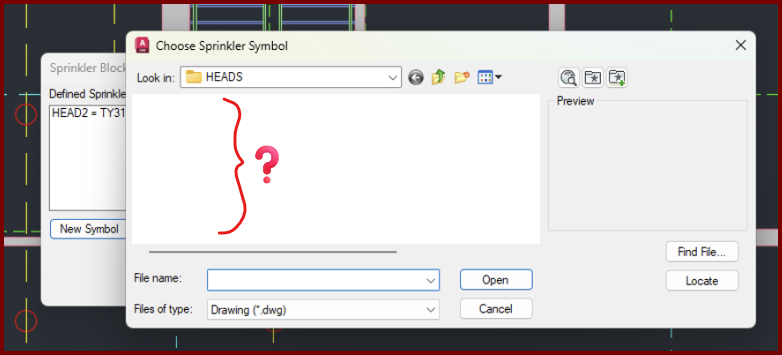
| Card 1471 View | Sprinklers (AutoCAD Based) | Select Sprinkler | Choose Head Symbol | Crash | When setting up a new head, the dialog that displays the head symbols to be selected appears, is empty, and then drawing crashes,
|
|
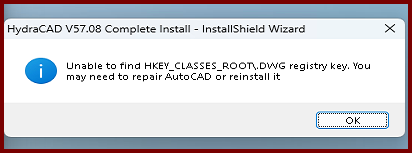
| Card 1476 View | Installation (AutoCAD Based) | None | None | None | During the HydraCAD install, you get an error saying, "InstallShield Wizard - Unable to find HKEY_CLASSES_ROOT\.DWG registry key. You may need to repair AutoCAD or reinstall it
|
|
| Card 463 View | Launching HydraCAD (AutoCAD Based) | None | None | None | 1. Missing profile 2. Bad registry entry 3. User does not have Admin privileges Unable to find profile Installation Acad 2015~ |
|
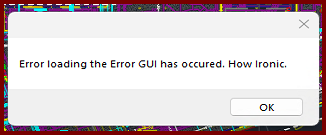
| Card 1474 View | 3D Modeling (AutoCAD Based) | S3D - Raise to 3D | None | Error During Load | When raising to 3D, you get the error message, "Error loading the Error GUI has occurred. How ironic."
The drawing will raise to 3D, but you won't see the error dialog window. Trying the Show Model Errors command (SME) produces the same error |
|
| Card 1469 View | Piping (AutoCAD Based) | Define Pipe Elevations | None | Unhandled Exception | Error occurs when using some commands. Autodesk has just released AutoCAD 2026.1.2 - and it breaks HydraCAD. It includes a major programming change by Autodesk that will require a lot of work and a large update by us. That update is being worked on right now, along with a version of HydraCAD for AutoCAD 2027. Both are now affected by essentially the same programming change. BinaryFormatter serialization and deserialization are disabled within this application. See https://aka.ms/binaryformatter for more information. Other commands with this error; Sprinkler Layout dialog (SL command) |
|
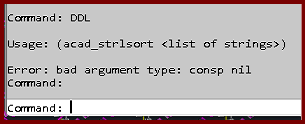
| Card 1475 View | Display (AutoCAD Based) | None | None | Bad Argument | Trying the DDL command gives the error; Usage: (acad_strlsort <list of strings>) Error bad argument type: consp nil
|
|
| Card 1153 View | Persistent Model (AutoCAD Based) | Navis Model | None | None | When importing a Persistent Model into Revizto, none of the riser nipples are visible |
|
| Card 907 View | Installation (AutoCAD Based) | None | None | Registry Problem | During the install of HydraCAD V56/57/58, the user is greeted with the message below. Following the both sets of instructions of opening and closing AutoCAD, and running a repair of AutoCAD do not make a difference. You'll still get the error message. V56 = R23.X
V57 install will say; Neither AutoCAD 2021, 2022, 2023 nor 2024 found (missing registry key: HKEY_CURRENT_USER\Software\Autodesk\AutoCAD\R24.X). Please install it before re-running this install
|
|
| Card 260 View | Launching HydraCAD (AutoCAD Based) | None | None | Security Error | When opening HydraCAD, you only receive this error message and not a HydraKEY error with the golden X. If you receive a HydraKEY error, search for the linked HydraCARD in that message box as it takes priority.
Security Error: One of the following conditions is possible HydraCAD is unable to function under these conditions.
After AutoCAD opens, press F2 to view the command prompt, see if the text below appears. If yes, see solution 1. Could not find file HCAD_ENV.INI Is 2024; error: no function definition: PRINTEM
|
|
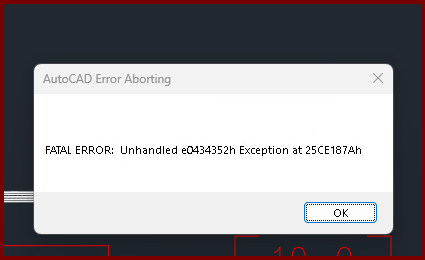
| Card 1473 View | Listing (AutoCAD Based) | Start Autolist | Freezes | Crash | When the OK button is clicked from the AutoLIST Setup window, it'll either hang/freeze or crash with a Fatal Error
Unhandled e0434352h Exception at 25CE17Ah |
|
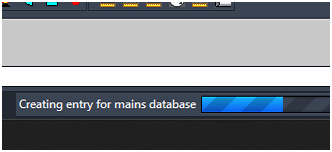
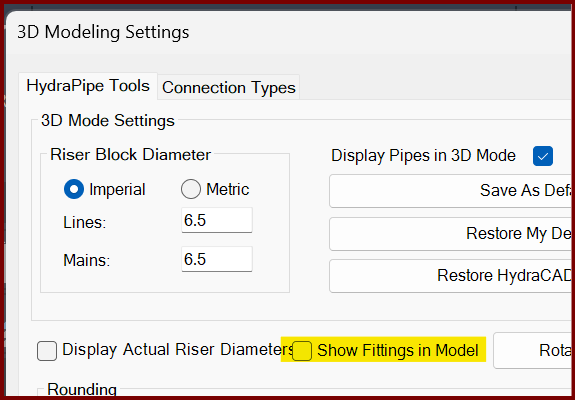
| Card 1472 View | 3D Modeling (AutoCAD Based) | Show Fittings | None | Freezes | When raising to 3D, the drawing hangs. On the progress bar at the bottom, it may be stuck at, "Creating entry for mains database"
If you turn off the Show Fittings in Model option found in the 3D Modeling Settings window (3MO command), it likely will create a model.
The only option is to End Task AutoCAD to stop the process. |
|
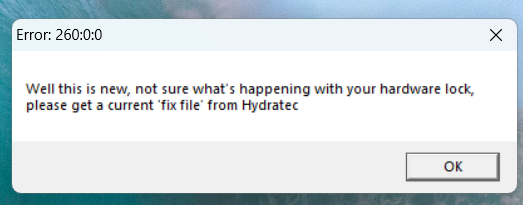
| Card 1470 View | HydraCALC Sizer (Standalone) | Open | None | Security Error | When attempting to open HydraCALC Sizer, you get this error;
Error:260:0:0 "Well this is new, not sure what's happening with your hardware lock, please get a current 'fix file' from Hydratec" |
|
| Card 389 View | 3D Modeling (AutoCAD Based) | Show System Model | None | None | Upon starting the Show 3D command (S3D) the drawing immediately switches to SE isometric, reports no errors but no 3D piping is visible. Even newly drawn pipe won't elevate.
Drawing successfully elevated to 3D. No errors were found |
|
| Card 165 View | Listing (AutoCAD Based) | Start Autolist | None | Dao Error | Call from AutoList::AddLineItemsToDatabase DAO Error changes requested to table not successful - create duplicate values in the index, primary key.... The line it failed to write is logged in C:\HES\TEMP\DAOUpdateError.txt Also: DAO Server Error RSU Update Call from Autolist DAO Error |
|
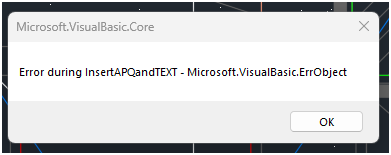
| Card 330 View | Calculations (AutoCAD Based) | Figure Head Area | None | None | When using the Figure Head Area tool, you get this error
Error during APQ insert - Microsoft VisualBasic ErrObject Error during LoadAPQFile - eFileNotFound Error during InsertAPQandTEXT |
|
| Card 13 View | HydraCALC (Revit Based) | Hydraulic Calculations | Continue | None |
Step 1a.1 - Error Box - User ID Duplicated Transfer to HydraCalc - Step I1a.10 System is now 'Attaching Node 2 Elevations error occurs, please report both the step number and the step description to support! Error Display Error Type User ID Duplicated Step Ref 1 Ref 2 Ref 3 I Ref 4 1a.1 |
|
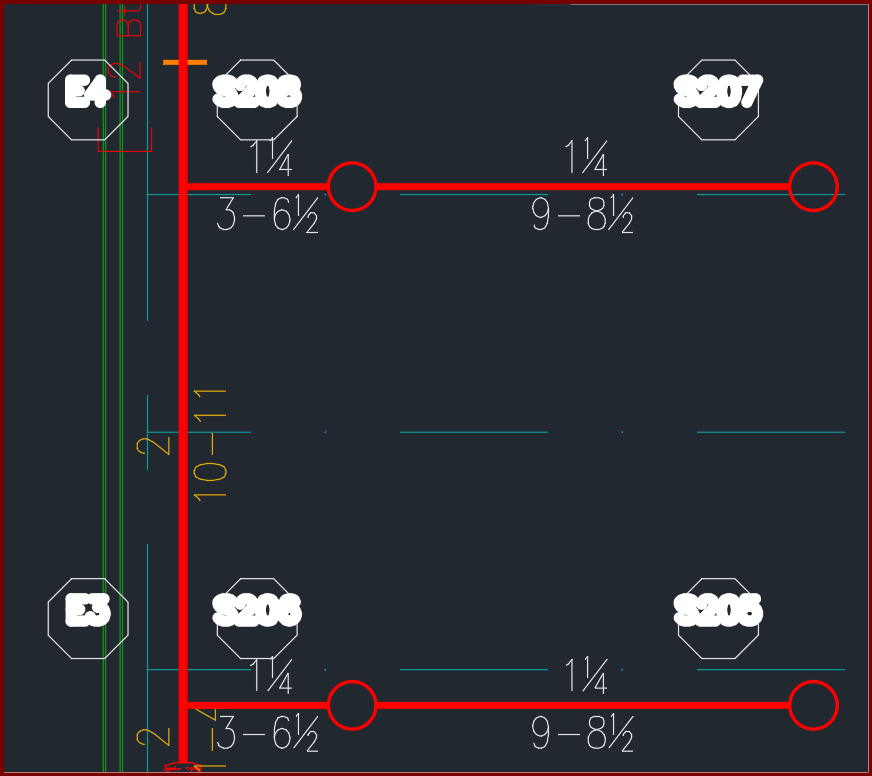
| Card 1468 View | Calculations (AutoCAD Based) | Reference Points | None | None | When viewing a plot, hydraulic reference points in the HYD2 layer have thick text. Editing lineweights for the layer does not make a difference.
|
|
| Card 1021 View | HydraCALC (Standalone) | Open | Double-Click | None | Double-clicking your HydraCALC icon makes nothing happen. You do not see HydraCALC open onscreen nor on your taskbar. HydraCALC does not open other than in the task manager. If you open your task manager and see the app "Hyd_prog.exe" open but not on your taskbar, then the application is stuck in purgatory.
Another possibility may be that it's on the taskbar but not on your screen. That means it's open but offscreen. See this HydraCARD to fix that issue; HydraCARD 565 only AFTER you've checked on the solution below.
|
|
Page: