Need to save a card for later?
Create a bookmark folder in your browser of choice (Chrome, Firefox...), and save individual cards in your bookmarks to view here later.

AutoCAD Based Build 3D Risers (Ribbon/Toolbar/Location)
Description:
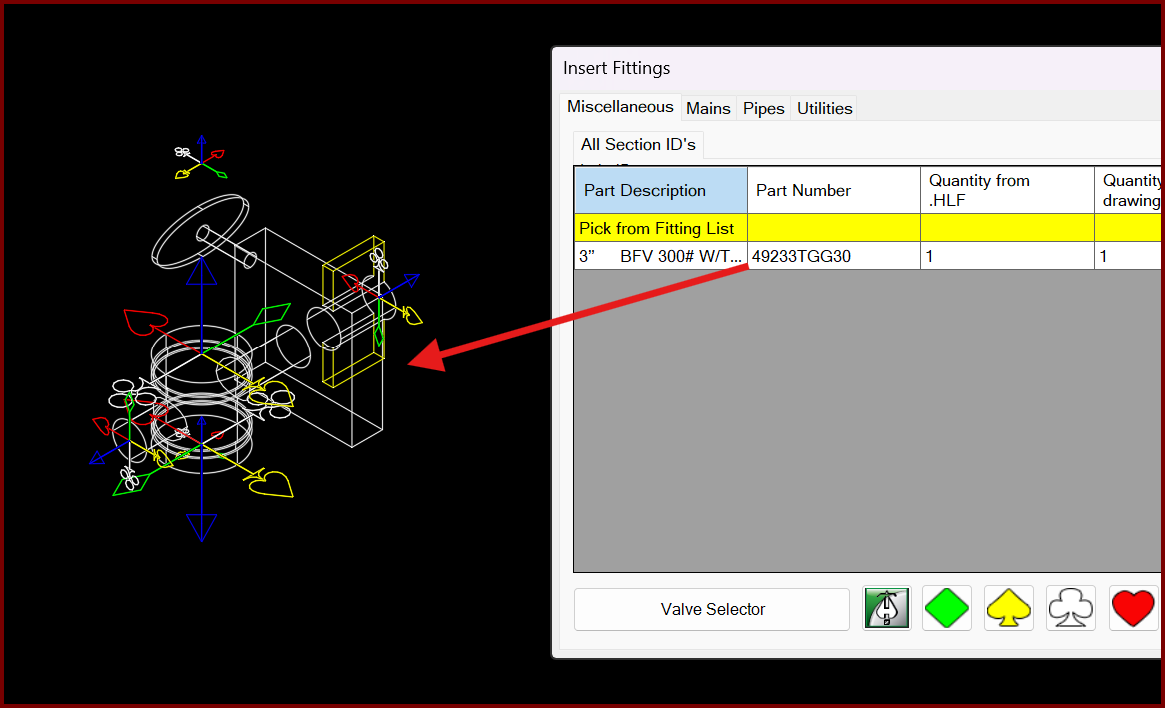
When trying to insert a valve type fitting from the parts tree, you get the error;
Still!!! Block ### is missing. Please insert manually.
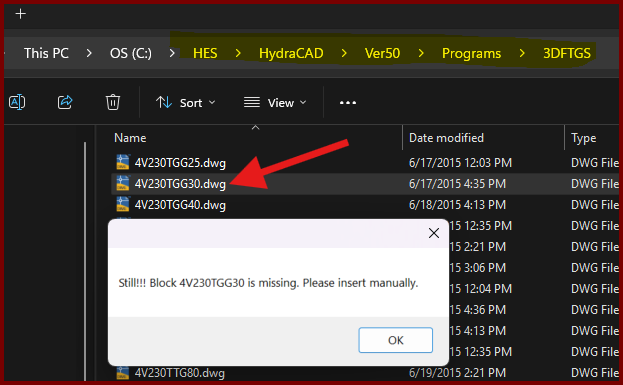
However checking the database for the drawing file shows it exists.
In AutoCAD 2026, the Support File Search Path series of paths is apparently too long.
In OPTIONS, choose the Files tab and expand the first item.
Move the two 3D Fitting paths up above the three ApplicationPlugins paths by clicking one of the two 3D Fitting paths and picking the Move Up button. Do the same with the other one.
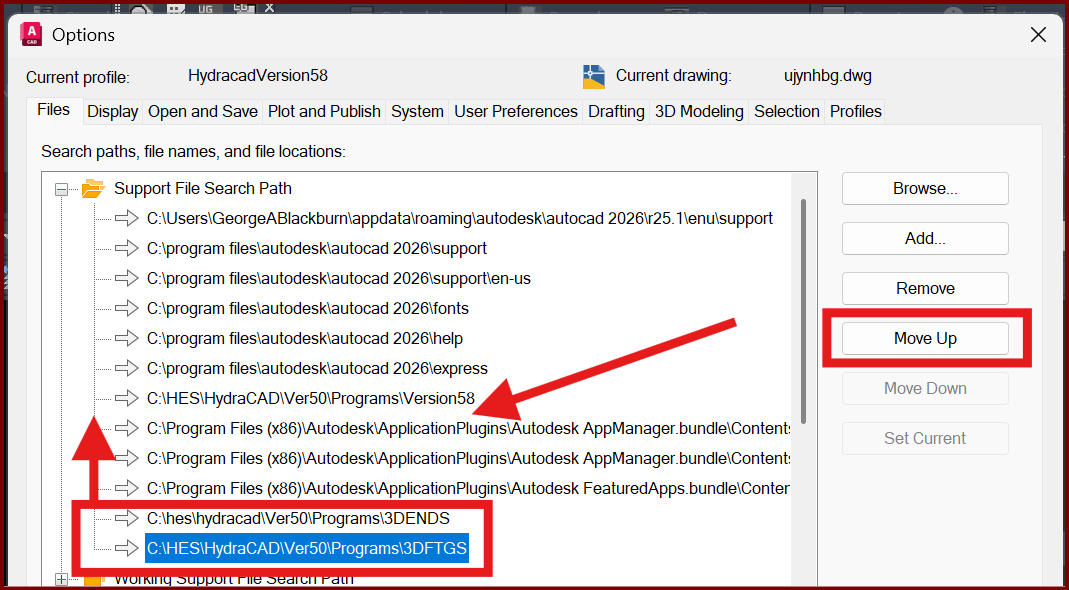
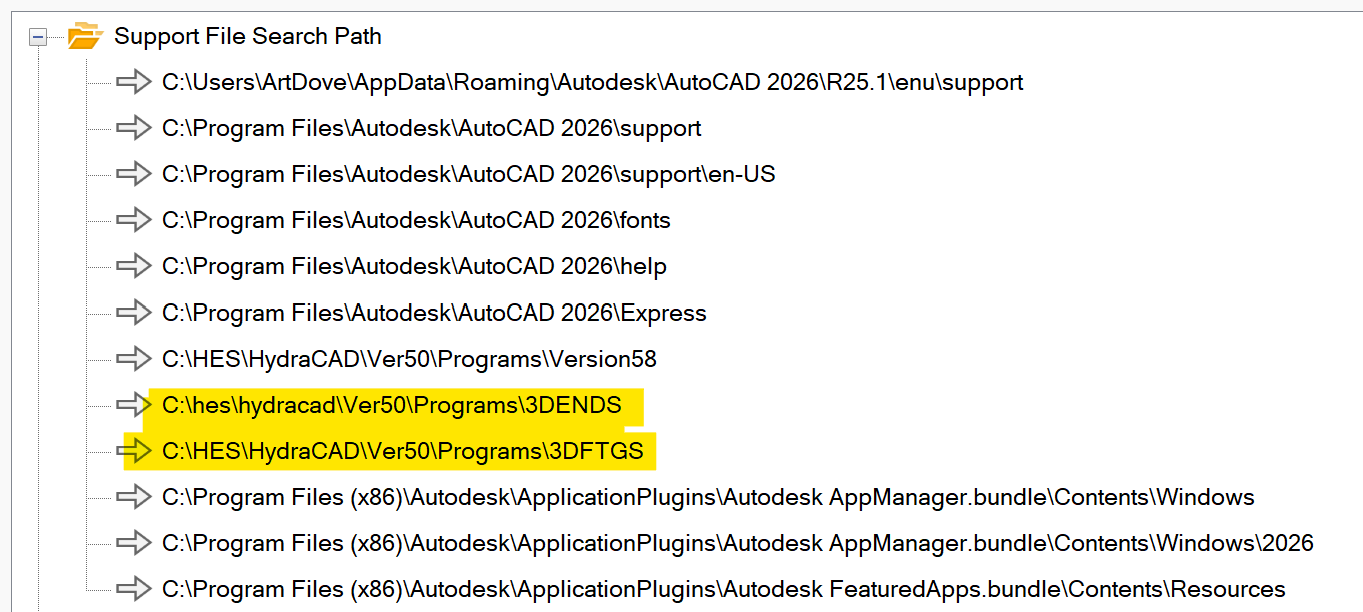
Pick OK and try to insert a 3D Fitting.
An upcoming up date, V58.03, should fix this issue.
For some users, a quirk in the program doesn't like the very first fitting inserted to be a valve type block.
Insert a dummy pipe on the drawing, similar to this;
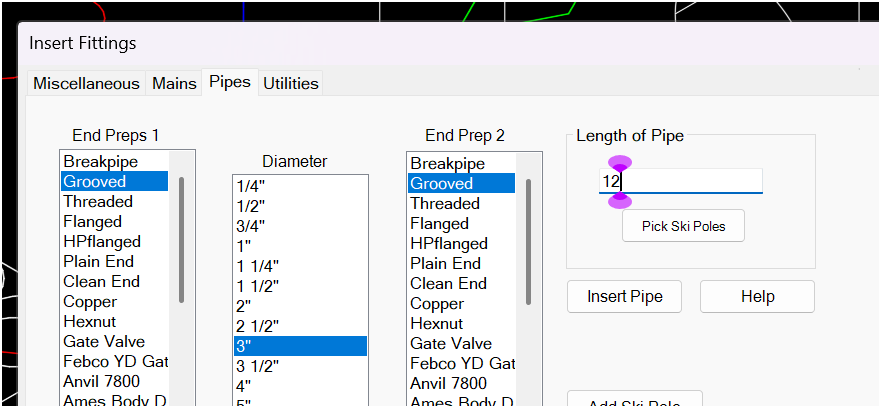
Then erase it and attempt to re-insert your valve type fitting.