Need to save a card for later?
Create a bookmark folder in your browser of choice (Chrome, Firefox...), and save individual cards in your bookmarks to view here later.

AutoCAD Based Launching HydraCAD (Ribbon/Toolbar/Location)
Description:
When opening Hydracad you get the following error:
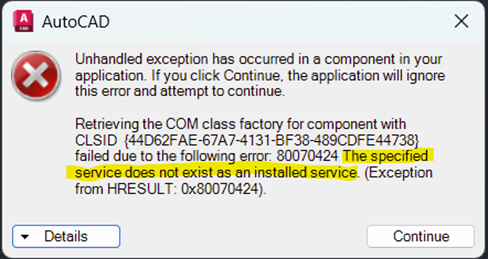
Unhandled exception has occurred
in a component in your
application. If you click
Continue, the application will ignore
this error and attempt to
continue.
Retrieving the COM class factory
for component with
CLSID
{44D62FAE-67A7-4131-BF38-489CDFE44738}
failed due to the following error:
80070424 The specified
service does not exist as an installed service.
(Exception
from HRESULT: 0x80070424).
The
2026 and beyond version of the DAO32Server install registers it as a Windows
service, but the service hasn’t been created or can’t start.
·
Close down all hydratec software on your
machine.
·
Download this install: Hydra
DAO FIX FILE
·
Right click and run the downloaded install as
Administrator.
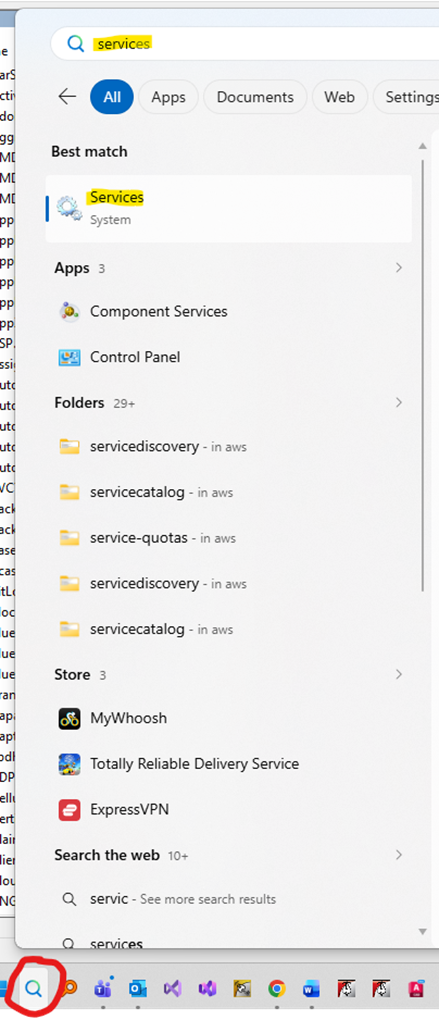
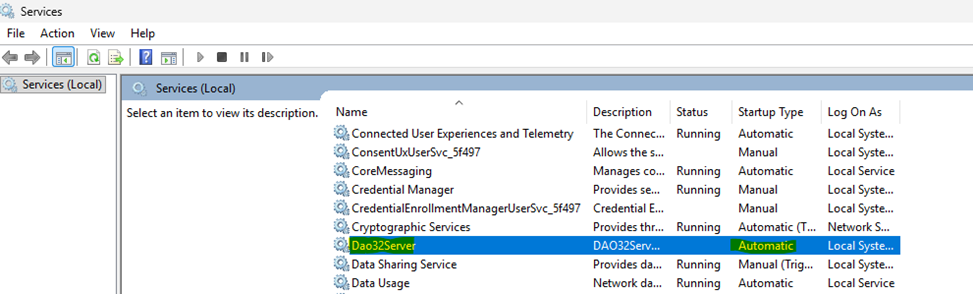
· Check that the service exists by typing Services at the windows command line and looking for DAO32Server under the list of services. It should be set to startup type Automatic.
Open Hydracad again and confirm it’s working.