Your Quick Search:
"rts points"
Software:
Total results: 74 (Closest matches are returned first)
Page:
* On smaller devices swipe left to view hidden table data
| Ribbon/Toolbar (software) | Button | Function | Error Type | Message | ||
|---|---|---|---|---|---|---|
| Ribbon/Toolbar (software) | Button | Function | Error Type | Message | ||
| Card 1344 View | HydraCAD (Revit Based) | RTS Points | None | None | Pop-up immediately after selecting RTS Points
|
|
| Card 1288 View | HydraCAD (Revit Based) | RTS Points | Write Rts Point List To File | None | There was an error while inserting the specified element.... The given path's format is not supported |
|
| Card 1341 View | HydraCAD (Revit Based) | RTS Points | Write Rts Point List To File | None | System.IO.DirectoryNotFoundException: Could not find a part of the path
|
|
| Card 945 View | HydraCAD (Revit Based) | RTS Points | Write Rts Point List To File | Revit Could Not Complete The External Command. | Revit could not complete external command |
|
| Card 389 View | 3D Modeling (AutoCAD Based) | Show System Model | None | None | Upon starting the Show 3D command (S3D) the drawing immediately switches to SE isometric, reports no errors but no 3D piping is visible. Even newly drawn pipe won't elevate.
Drawing successfully elevated to 3D. No errors were found |
|
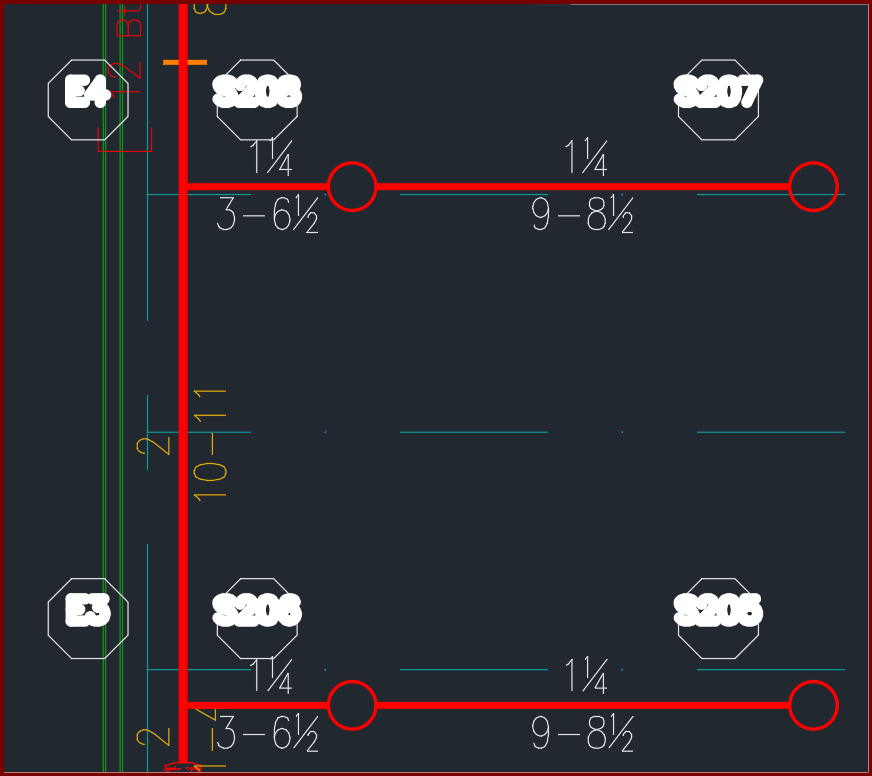
| Card 1468 View | Calculations (AutoCAD Based) | Reference Points | None | None | When viewing a plot, hydraulic reference points in the HYD2 layer have thick text. Editing lineweights for the layer does not make a difference.
|
|
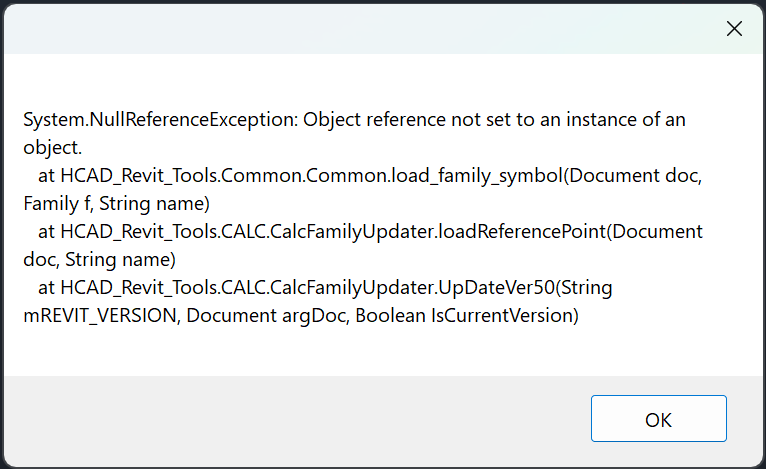
| Card 1457 View | HydraCALC (Revit Based) | All Ref Points | None | System.Nullreferenceexception: | When trying to add reference points, none are added and this error shows:
|
|
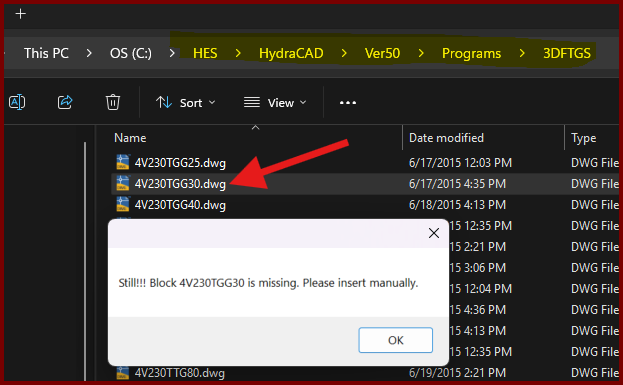
| Card 1437 View | Build 3D Risers (AutoCAD Based) | Insert Fitting Via Parts Tree | None | Block Is Missing | When trying to insert a valve type fitting from the parts tree, you get the error; Still!!! Block ### is missing. Please insert manually.
However checking the database for the drawing file shows it exists. |
|
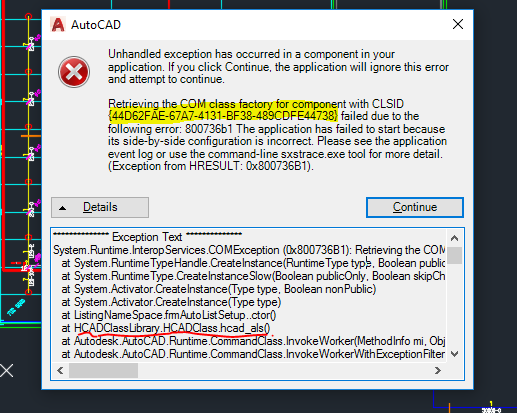
| Card 864 View | Launching HydraCAD (AutoCAD Based) | None | None | Unhandled Exception | When Opening HydraCAD or trying to list a drawing, you recieve any Error containing the following CLSID: 44D62FAE-67A7-4131-BF38-489CDFE44738
Or any of the following HRESULT error numbers: 0x800736B1
0x80040154
0x80070002
0x80080005
0x80029C4A TYPE_E_CANTLOADLIBRARY
|
|
| Card 1451 View | 3D Modeling (AutoCAD Based) | Show System Model | None | Unhandled Exception | Raising to 3D and you get this error;
Exception Occured at AddURLToHyperlinks :: HydraHeads System.Runtime.InteropServices.COMException (0x80040154): Retrieving the COM class factory for component with CLSID {44D62FAE-67A7-4131-BF38-489CDFE44738} failed due to the following error: 80040154 Class not registered (Exception from HRESULT: 0x80040154 (REGDB_E_CLASSNOTREG)). |
|
| Card 1381 View | Standard (AutoCAD Based) | Grips | None | Slow | Customer reports that when trying to move an object by exposing the grips, the process takes a very long time and almost seems like AutoCAD freezes. "Clicking blocks and dragging by node, doing pipe sizings, etc..." |
|
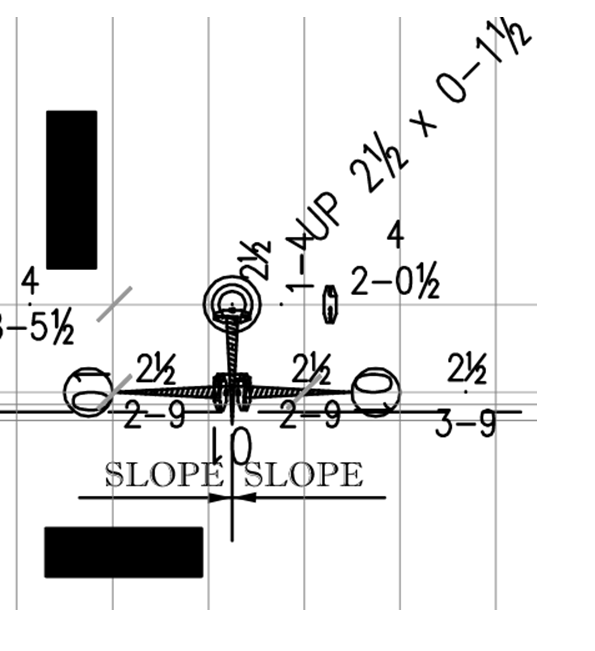
| Card 1407 View | Plot (AutoCAD Based) | Plot | None | None | When plotting to Bluebeam document, some HydraCAD drawing entities show up blacked out. AutoCAD view;
PDF generated by Bluebeam;
|
|
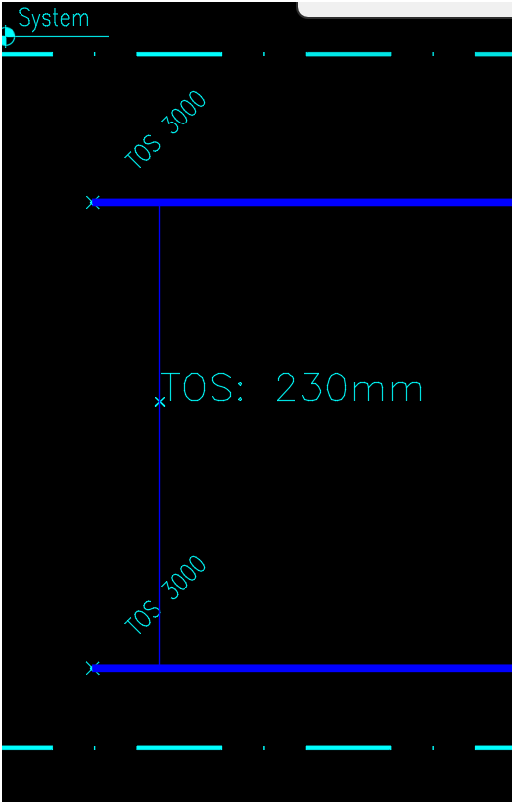
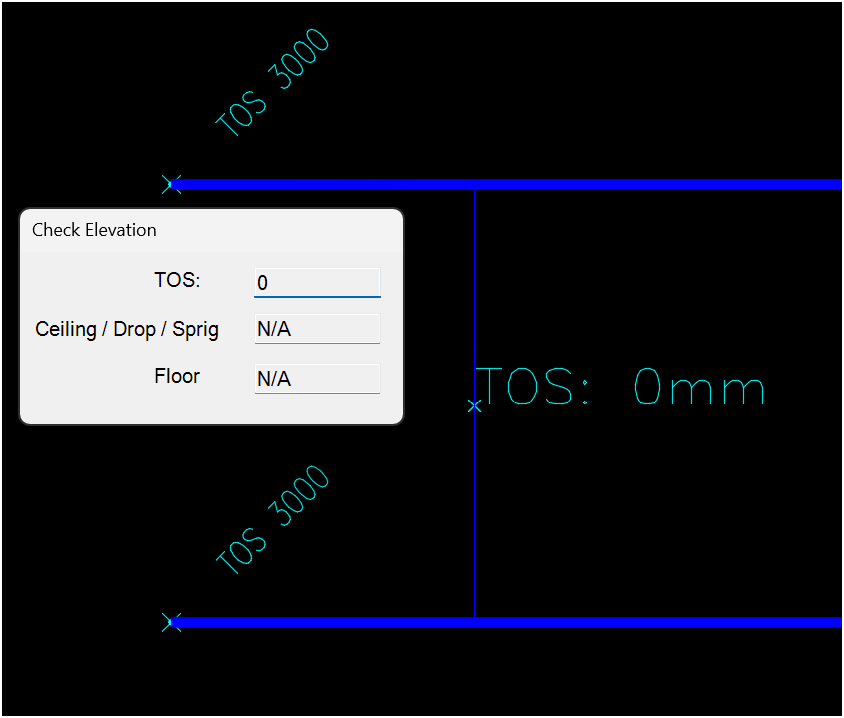
| Card 1449 View | 3D Modeling (AutoCAD Based) | Check Elevation | Ce Command | None | Trying to get an elevation but the results are either 0 or an incorrect value This result should report 3000mm, instead it reports 230mm
This should report 3000mm, not 0mm
|
|
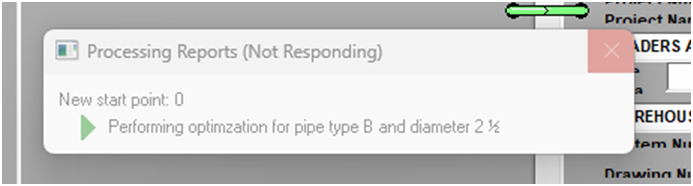
| Card 770 View | HydraLIST (Standalone) | Process | Print Reports | Freezes | HydraLIST process freezes at Processing Cover Page Report - Optimizing pipe Or freezes at processing pipe sketches Or at optimization
|
|
| Card 1427 View | HydraLIST (Standalone) | Process | None | None | When processing a stock list, the SldReports window reports, "could not find part number for the given pipe type" Move the window to reveal the Processing Reports window where you'll see which section ID it's having problems with
Clicking OK will report others with similar issues, the process will not complete. |
|
| Card 1196 View | HydraLIST (Standalone) | Process | Print Reports | None | While trying to process a job you get this error;
Processing Reports, Writing .HLPF file > Total page count: 1 The VSPrinter control is emptly (no document to translate). Please close the PDF file before processing |
|
| Card 1422 View | HydraCALC (Revit Based) | All Ref Points | None | System.Nullreferenceexception: | When trying to add reference points, none are added and this error shows:
|
|
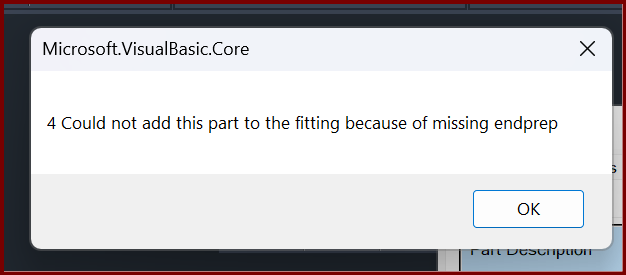
| Card 1419 View | Build 3D Risers (AutoCAD Based) | Insert Fitting Via Parts Tree | None | Internal Error | When trying to insert a specific fitting, you get the error Could not add this part to the fitting because of missing endprep
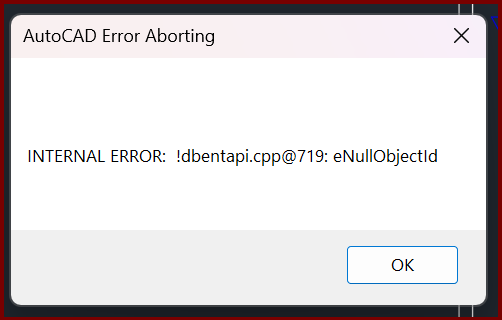
then; AutoCAD Error Aborting INTERNAL ERROR: !dbentapi.cpp@719: eNullObjectld
|
|
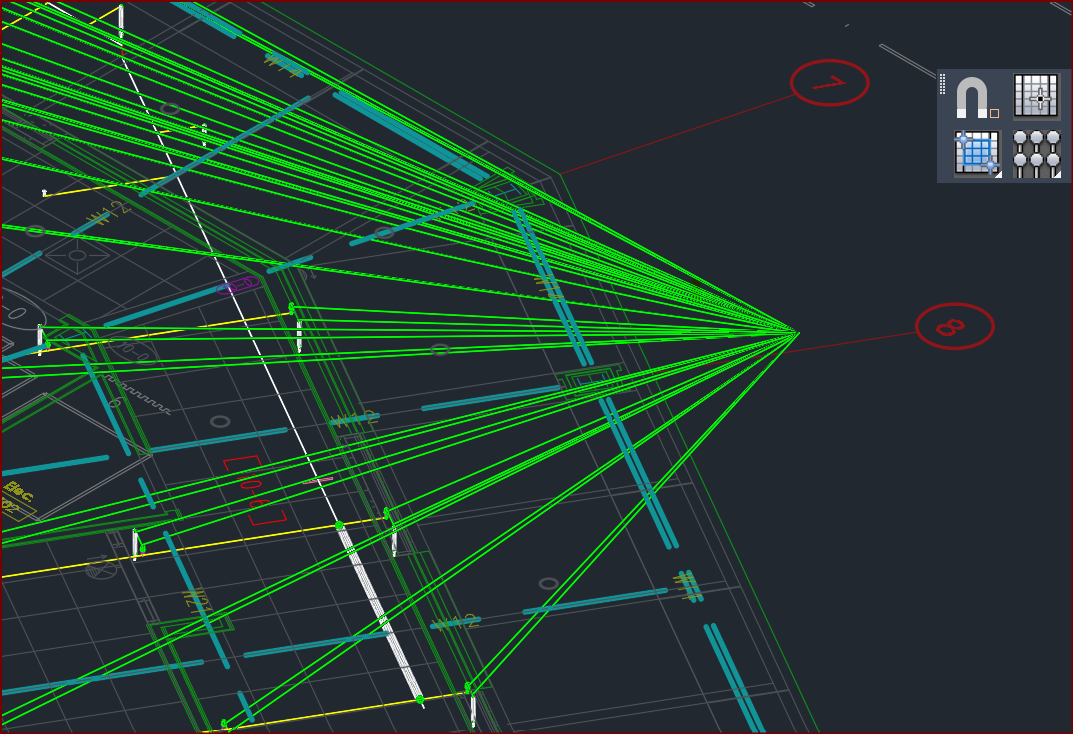
| Card 95 View | 3D Modeling (AutoCAD Based) | Show System Model | None | None | After raising to 3D, you see green lines extending from (0,0,0) to points on the drawing
You can erase the green lines and continue on, this is an annoyance and inconvenience but not really a problem. |
|
| Card 1081 View | 3D Modeling (AutoCAD Based) | Show System Model | None | Please Switch To System Model | When attempting to create a 3D model, you get the error; Please switch to System Model to Annotate Drops and Sprigs plus System.NullReferenceException: Object reference not set to an instance of an object at HCADexports.RevitConversion.create_hydrapipes_from_db() at HCADexports.RevitConversion.create_hydrafittings_from_db(List'1 pipes, List'1 heads)
|
|
Page: