Need to save a card for later?
Create a bookmark folder in your browser of choice (Chrome, Firefox...), and save individual cards in your bookmarks to view here later.

Standalone HydraLIST (Location)
Description:
When processing a stock list, the SldReports window reports, "could not find part number for the given pipe type"
Move the window to reveal the Processing Reports window where you'll see which section ID it's having problems with

Clicking OK will report others with similar issues, the process will not complete.
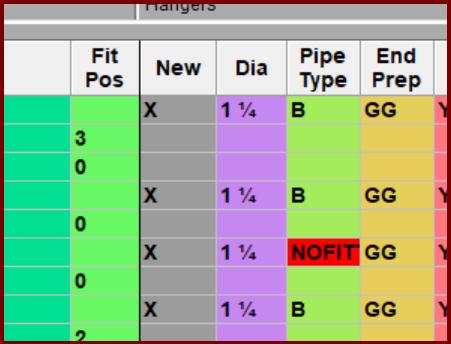
Bad pipe type entered
Find the section ID mentioned in the errors then fix the input, in this case the Pipe Type somehow shows NOFITTING