Your Quick Search:
"find clashes"
Software:
Total results: 58 (Closest matches are returned first)
Page:
* On smaller devices swipe left to view hidden table data
| Ribbon/Toolbar (software) | Button | Function | Error Type | Message | ||
|---|---|---|---|---|---|---|
| Ribbon/Toolbar (software) | Button | Function | Error Type | Message | ||
| Card 1185 View | HydraCAD (Revit Based) | Find Clashes | Clash Results | None | When attempting to view a clash from Clash Results, it shows this error: Error creating view
|
|
| Card 1323 View | HydraCAD (Revit Based) | Find Clashes | None | Command Failure For External Command | Command Failure for External Command... The symbol is not active
|
|
| Card 1324 View | HydraCAD (Revit Based) | Find Clashes | None | None | Command Failure for External Command... Category of the element is not supported for element intersection filters
|
|
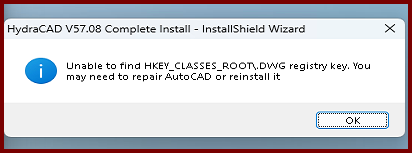
| Card 1476 View | Installation (AutoCAD Based) | None | None | None | During the HydraCAD install, you get an error saying, "InstallShield Wizard - Unable to find HKEY_CLASSES_ROOT\.DWG registry key. You may need to repair AutoCAD or reinstall it
|
|
| Card 463 View | Launching HydraCAD (AutoCAD Based) | None | None | None | 1. Missing profile 2. Bad registry entry 3. User does not have Admin privileges Unable to find profile Installation Acad 2015~ |
|
| Card 907 View | Installation (AutoCAD Based) | None | None | Registry Problem | During the install of HydraCAD V56/57/58, the user is greeted with the message below. Following the both sets of instructions of opening and closing AutoCAD, and running a repair of AutoCAD do not make a difference. You'll still get the error message. V56 = R23.X
V57 install will say; Neither AutoCAD 2021, 2022, 2023 nor 2024 found (missing registry key: HKEY_CURRENT_USER\Software\Autodesk\AutoCAD\R24.X). Please install it before re-running this install
|
|
| Card 260 View | Launching HydraCAD (AutoCAD Based) | None | None | Security Error | When opening HydraCAD, you only receive this error message and not a HydraKEY error with the golden X. If you receive a HydraKEY error, search for the linked HydraCARD in that message box as it takes priority.
Security Error: One of the following conditions is possible HydraCAD is unable to function under these conditions.
After AutoCAD opens, press F2 to view the command prompt, see if the text below appears. If yes, see solution 1. Could not find file HCAD_ENV.INI Is 2024; error: no function definition: PRINTEM
|
|
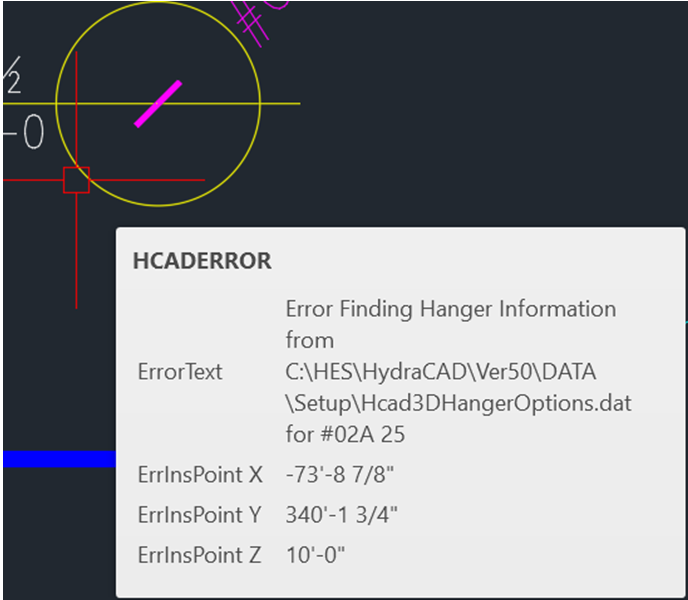
| Card 1465 View | Hangers (AutoCAD Based) | Create 3D Hangers | None | None | Error Finding Hanger Information when generating 3D Hangers
|
|
| Card 176 View | Listing (AutoCAD Based) | Start Autolist | None | Failed To Launch |
"AutoLIST Failed!... Please run Listing CheckUps"
This message is shown when running the AutoLIST process, but checkups didn't find any errors AutoLIST Failed |
|
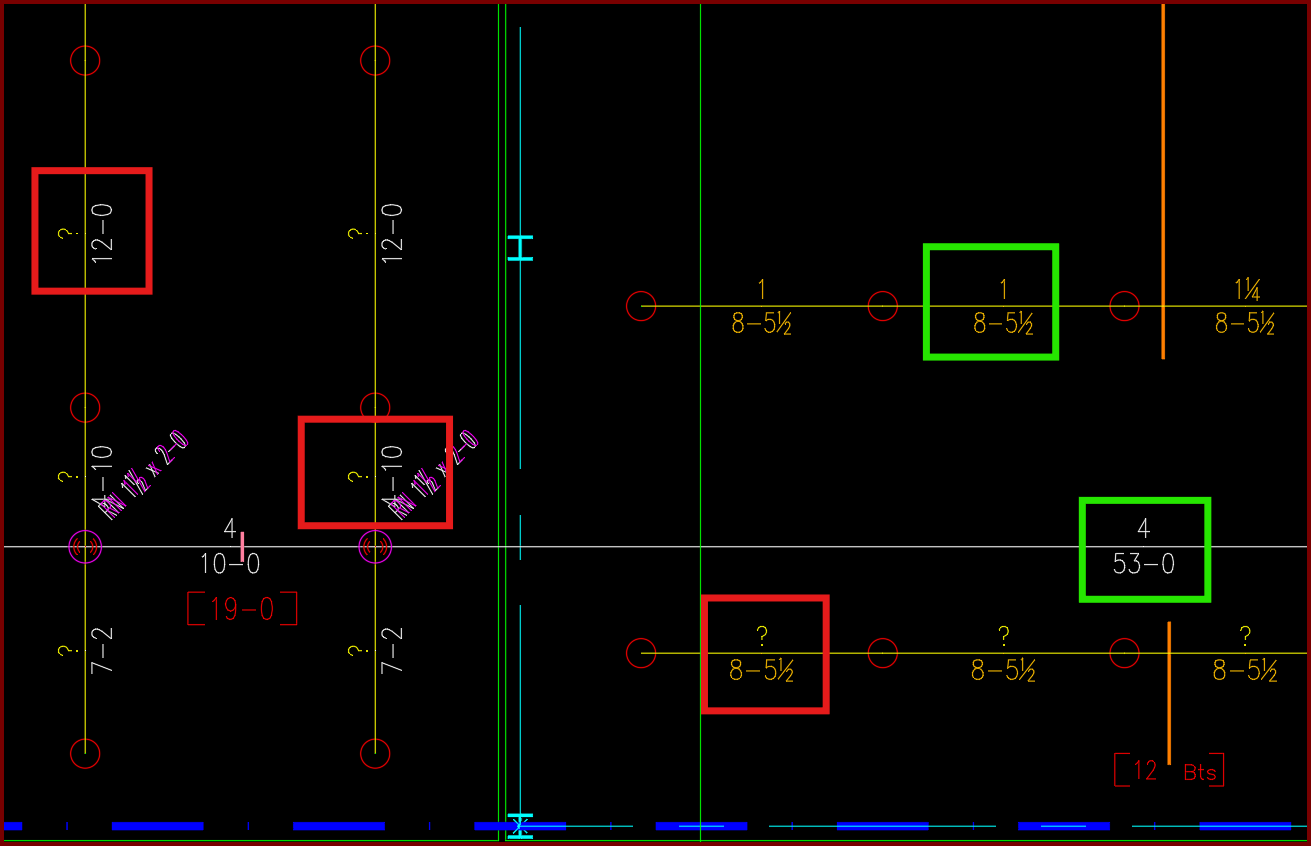
| Card 1440 View | Piping (AutoCAD Based) | Sizing Cleanup Tools | None | Other | Have AutoCAD select a group of pipe dimension blocks with a specific diameter or length. In this example I want to find and delete all diameters with a ?" as its value.
|
|
| Card 1427 View | HydraLIST (Standalone) | Process | None | None | When processing a stock list, the SldReports window reports, "could not find part number for the given pipe type" Move the window to reveal the Processing Reports window where you'll see which section ID it's having problems with
Clicking OK will report others with similar issues, the process will not complete. |
|
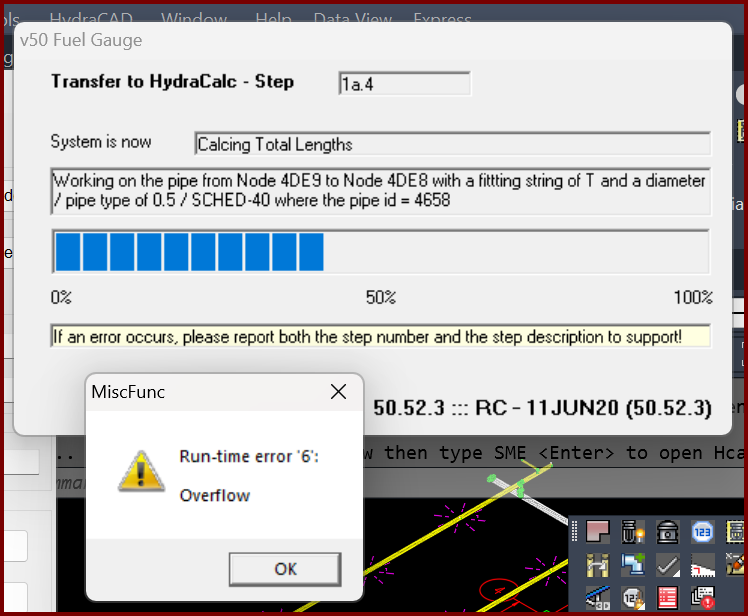
| Card 1399 View | Calculations (AutoCAD Based) | Start Autocalcs | None | Runtime 6 | When starting AutoCALC the v50 Fuel Gauge stops at step 1a.4 plus you get a Run-time error 6; Overflow
Working on pipe from Node ### to Node ### with a fitting of "?" and a diameter of / pipe type of 0.5 / SCHED-40 where the pipe id = ### The "####" values represent handles. It is recommended you use the FINDME tool to find the coordinates of the handles, this will help narrow down the cause of the error. May also see a Runtime Error 5, "invalid procedure" |
|
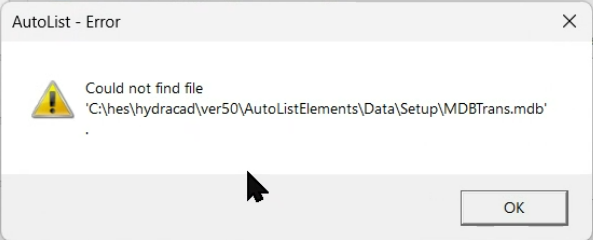
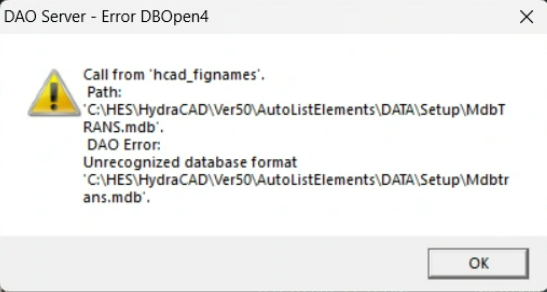
| Card 1412 View | HydraLIST (Revit Based) | Auto Stocklist | None | Autolist – Error | Could not find file, or Unrecognized database format 'C:\HES\HydraCAD\Ver50\AutoListElements\Data\Setup\mdbtrans.mdb'
|
|
| Card 1180 View | Cleanup (AutoCAD Based) | Draw Pretty Pipes | None | Unhandled Exception | When starting the Pretty Pipes command, you get an Unhandled Exception error including 'Could not find a part of the path'
Another error may mention blockoffsets.dat
|
|
| Card 121 View | Calculations (AutoCAD Based) | Start Autocalcs | None | 0 | When starting the AutoCALC process, you get this error;
Could not find fitting match for Pump Only/Test Point Please check!! You also see an Accessing Database window with a partial green progress bar. No Operating Heads of Flows Found!! Please check...
|
|
| Card 1368 View | Installation (Revit Based) | None | None | Command Failure For External Command |
No Ribbons / only the HydraCAD Ribbon appears, and no commands work.
|
|
| Card 1341 View | HydraCAD (Revit Based) | RTS Points | Write Rts Point List To File | None | System.IO.DirectoryNotFoundException: Could not find a part of the path
|
|
| Card 1063 View | HydraCAD (Revit Based) | Add Device | None | Command Failure For External Command | Command failure for external command ... System.IO.FileNotFoundException ... File name 'AWSSDK'
|
|
| Card 1308 View | Entitlement (Security and Licensing) | None | None | None | I can't find the 'Sentinel Product Key' for my Gemalto entitlement. |
|
| Card 1299 View | HydraCAD (Revit Based) | Add Device | Opening | Initialization Failed | Initialization Failed... Could not find part of the path
|
|
Page: