Your Quick Search:
"Delete Stop Signs"
Software:
Total results: 54 (Closest matches are returned first)
Page:
* On smaller devices swipe left to view hidden table data
| Ribbon/Toolbar (software) | Button | Function | Error Type | Message | ||
|---|---|---|---|---|---|---|
| Ribbon/Toolbar (software) | Button | Function | Error Type | Message | ||
| Card 94 View | Calculations (AutoCAD Based) | Calc Check Ups | None | None | Upon starting the Checkup command for AutoCalc, the command starts but stops. The Command Prompt says; "Initializing... Checking to make sure heads are in the right layer...bad argument type: stringp nil" As a side note, the user's drawing had multiple repeat head definition boxes (blue boxes in ACC1 layer). These were cleaned up (deleted) and the heads redefined. The AUDIT command was run after the cleanup |
|
| Card 1483 View | HydraCAD (Revit Based) | Hangers | Brace | None | When trying to use the Hangers tool, and insert a Brace, it only allows for a single brace to be added. |
|
| Card 1392 View | HydraCAD (Revit Based) | Import from the latest Toolbox | None | None | After attempting to download the Latest Toolbox, a warning appears saying the file cannot be opened.
|
|
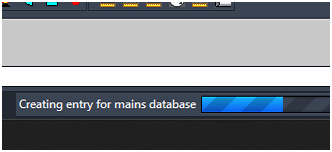
| Card 1472 View | 3D Modeling (AutoCAD Based) | Show Fittings | None | Freezes | When raising to 3D, the drawing hangs. On the progress bar at the bottom, it may be stuck at, "Creating entry for mains database"
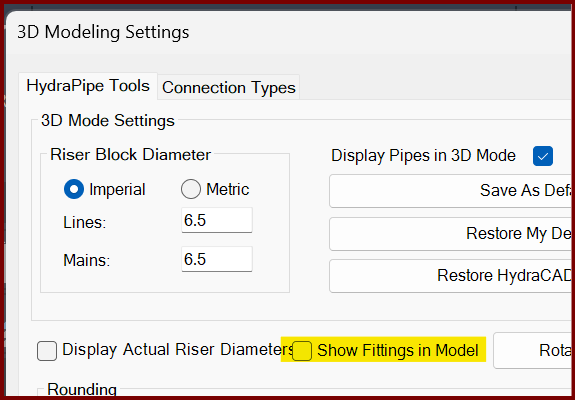
If you turn off the Show Fittings in Model option found in the 3D Modeling Settings window (3MO command), it likely will create a model.
The only option is to End Task AutoCAD to stop the process. |
|
| Card 1184 View | Calculations (AutoCAD Based) | Start Autocalcs | None | Runtime Error | When running AutoCALC, the process stops around step 2.4c and you get a Run-time error 457, "This key is already associated with an element of this collection
|
|
| Card 71 View | Calculations (AutoCAD Based) | Start Autocalcs | None | None | When starting AutoCALC, it stops in the v50 Fuel Gauge at step 1a.4 - Calculating Total Lengths. Working on the pipe from node #### to node #### with a fitting string of ...
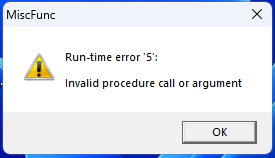
May be followed by a Runtime Error 13 or Runtime Error 5 |
|
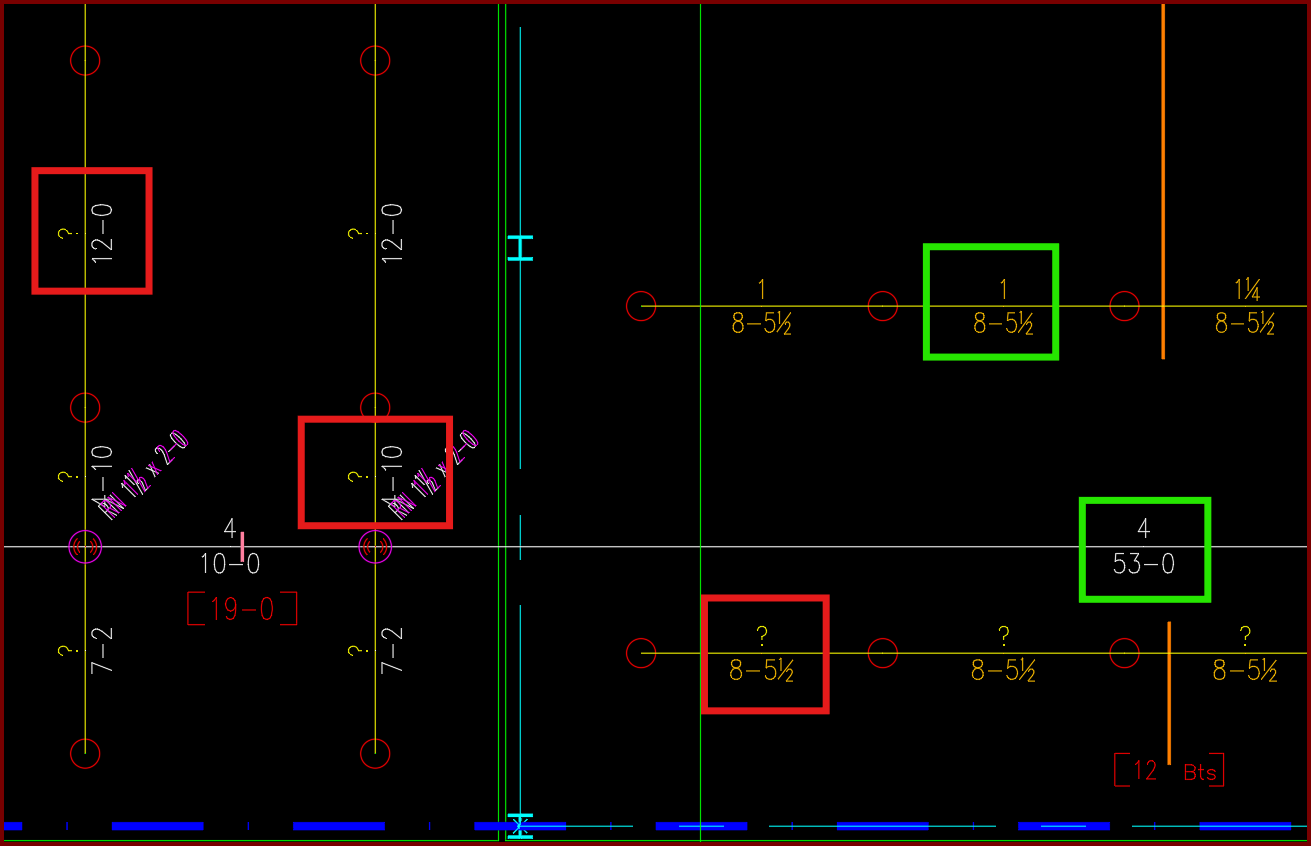
| Card 1440 View | Piping (AutoCAD Based) | Sizing Cleanup Tools | None | Other | Have AutoCAD select a group of pipe dimension blocks with a specific diameter or length. In this example I want to find and delete all diameters with a ?" as its value.
|
|
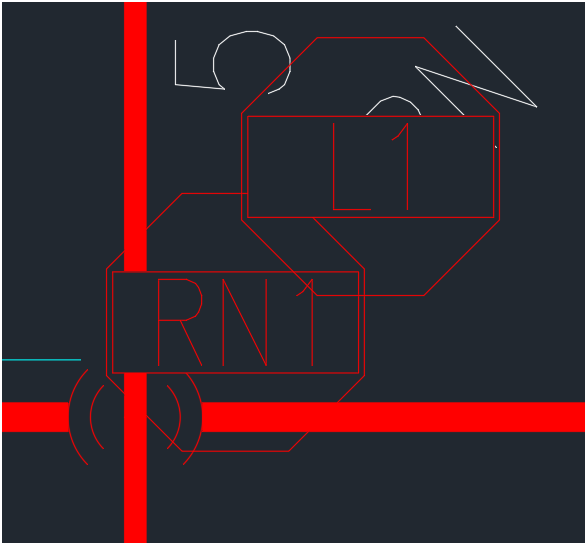
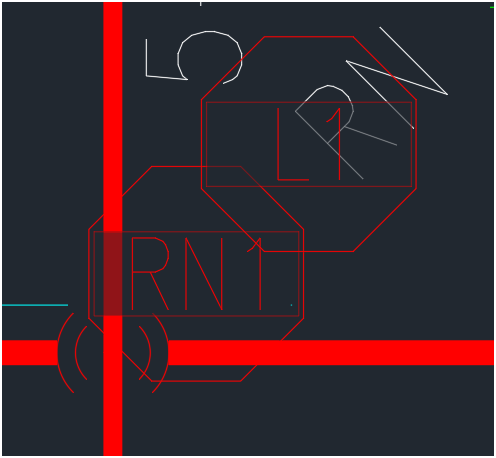
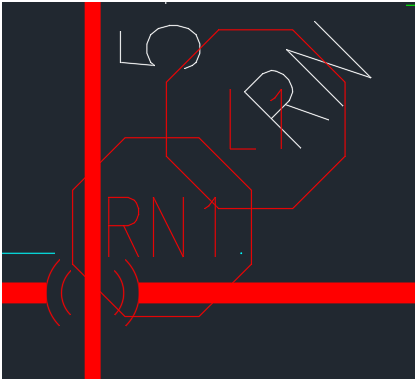
| Card 1448 View | Display (AutoCAD Based) | None | None | None | Changing the characteristics of wipeouts. Change the transparency of the wipeout mask from zero to 50%, or remove the wipeout completely. 0% TRANSPARENCY
50% TRANSPARENCY
DELETED WIPEOUT MASK
|
|
| Card 1443 View | HydraLIST (Standalone) | Open | Opening | Runtime Error | Runtime Error 3167. Error message: Record has been deleted |
|
| Card 38 View | HydraCAD (Revit Based) | Spacing and Layout | Opening | Autodesk.Revit.Exceptions.Invalidobjectexception | Using the Sprinkler Spacing and Layout tool: Revit encountered a Autodesk.Revit.Exceptions.InvalidObjectException: The referenced object is not valid, possibly because it has been deleted from the database, or it's creation was undone. |
|
| Card 1061 View | HydraCALC (Revit Based) | Hydraulic Calculations | Continue | Runtime Error |
Calculation stops at Step 1a.4 - calcing total lengths Can be accompanied with a "Runtime error 5 - invalid procedure call or argument" or "Runtime error 6 - overflow" |
|
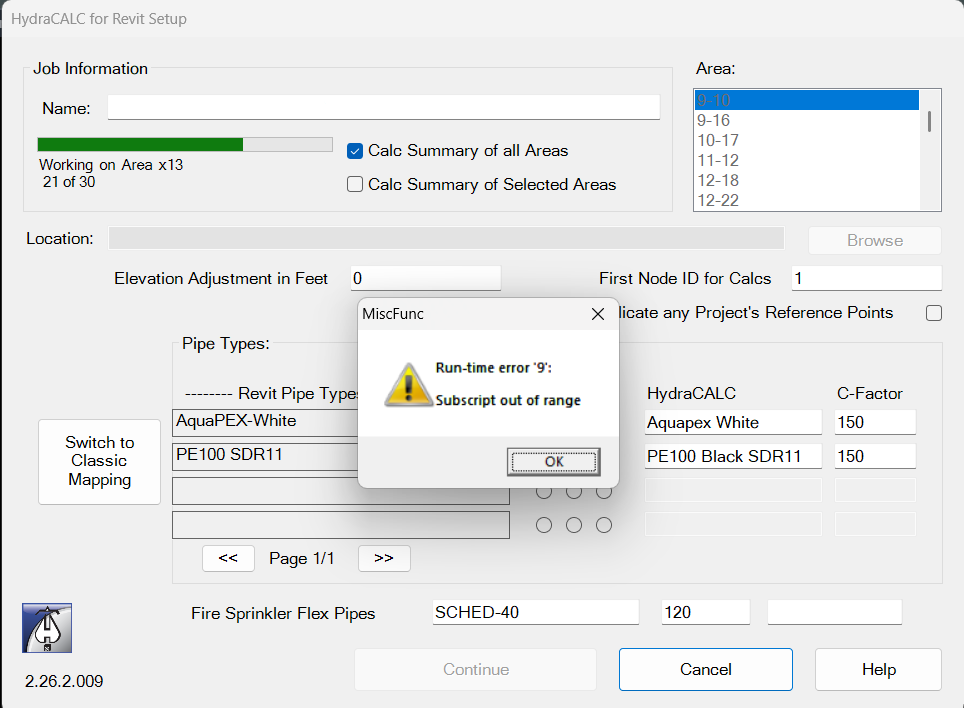
| Card 1442 View | HydraCALC (Revit Based) | Hydraulic Calculations | Continue | None | Run-time error 9: Subscript out of range Area 21 of 30
|
|
| Card 1166 View | Launching HydraCAD (AutoCAD Based) | Opening | None | Shortcut Error | When trying to open HydraCAD after a recent install, you get this error or one similar to it; "Missing shortcut", Windows is searching for acad.exe. To locate the file yourself, click Browse.
AND Problem with Shortcut - The item 'acad.exe' that this shortcut refers to has been changed or moved, so this shortcut will no longer work properly. Nearest match based on size, date, and type: Do you want to fix this shortcut to point to this target or do you just want to delete it?
|
|
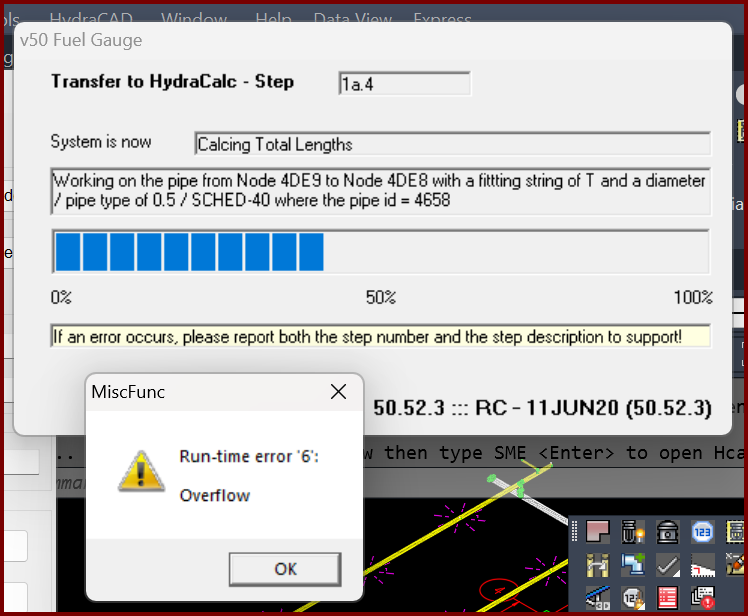
| Card 1399 View | Calculations (AutoCAD Based) | Start Autocalcs | None | Runtime 6 | When starting AutoCALC the v50 Fuel Gauge stops at step 1a.4 plus you get a Run-time error 6; Overflow
Working on pipe from Node ### to Node ### with a fitting of "?" and a diameter of / pipe type of 0.5 / SCHED-40 where the pipe id = ### The "####" values represent handles. It is recommended you use the FINDME tool to find the coordinates of the handles, this will help narrow down the cause of the error. May also see a Runtime Error 5, "invalid procedure" |
|
| Card 1415 View | HydraCALC (Revit Based) | Hydraulic Calculations | Continue | None | Calc process stops at step 1a.4 and Runtime Error 5 displays
|
|
| Card 1414 View | HydraCAD (Revit Based) | Add Device | Opening | None | When trying to open Add Device, nothing happens and Revit just hangs up / appears frozen. |
|
| Card 1413 View | All (Revit Based) | Setup | None | None | No error, but after clicking Setup, Revit freezes / stops working, and nothing else is able to be selected. |
|
| Card 1383 View | HydraCAD (Revit Based) | Delete Pipe | None | None | Unable to select a pipe or fitting when trying to use the Delete Pipe tool. |
|
| Card 1375 View | HydraCALC (Revit Based) | Hydraulic Calculations | Continue | 200 Passes | This job has gone 200 or more passes without balancing.
|
|
| Card 708 View | HydraLIST (Standalone) | Process | None | None | 1)This error usually means that the user does not have full access for the folder. Or a lock file already exists and can not be delete. 2) real time virus scan blocking file. 3050 |
|
Page: