Your Quick Search:
"disconnect pipes"
Software:
Total results: 53 (Closest matches are returned first)
Page:
* On smaller devices swipe left to view hidden table data
| Ribbon/Toolbar (software) | Button | Function | Error Type | Message | ||
|---|---|---|---|---|---|---|
| Ribbon/Toolbar (software) | Button | Function | Error Type | Message | ||
| Card 926 View | HydraCALC (Standalone) | Calculate | Calculating | Message Box | Upon calculating a file, the error message, "Failed to launch C:\HES\Hydratec for revit\programs\calcdiagnose.exe" pops up.
Was preceeded by these messages;
Plus this; Number of Loops -1 and or Nodes with undesignated elevations
|
|
| Card 961 View | HydraCALC (Standalone) | Calculate | Add New Authorization | Disconnected Pipe | **Trying to calculate a job which was generated from HydraCAD**, you get this error on the first attempt to calculate; 'disconnected pipe'
|
|
| Card 1110 View | HydraCAD (Revit Based) | Spacing and Layout | Pick ... | None | Inserted sprinkler is disconnected / malfunctioning & the branchline pipe is missing
|
|
| Card 1116 View | HydraCAD (Revit Based) | Spacing and Layout | None | None | After using the Spacing and Layout tool, the pipes and sprinklers are modeled but are not connected properly to each other.
|
|
| Card 1441 View | Installation (Revit Based) | None | None | None | Using HydraCAD buttons cause errors like Loading Shared Parameters for Pipes Failed.... |
|
| Card 660 View | HydraCALC (Standalone) | Calculate | Calculating | Process Error | Primary calc results are shown, and when selecting OK to continue back to the calc input screen, the two messages below are displayed, twice;
"The designated source node was not found in the list of pipes" OK "Calculation failed for an unknown reason" OK Process Error Hydcalc |
|
| Card 1216 View | 3D Modeling (AutoCAD Based) | Persistent Model | None | None | When viewing your Persistent Model drawing, you see the clamshells/Pacman/bracket for the riser nipples/vertial pipes
|
|
| Card 267 View | 3D Modeling (AutoCAD Based) | Switch To Edit Mode | None | None | Vertical pipe issue. Switching back to Edit Mode (S2D) leaves HydraPipes in Hydrapipe layer. Then when trying to show system model again (S3D) you get an AutoCAD message box "Please Switch to Edit Mode" |
|
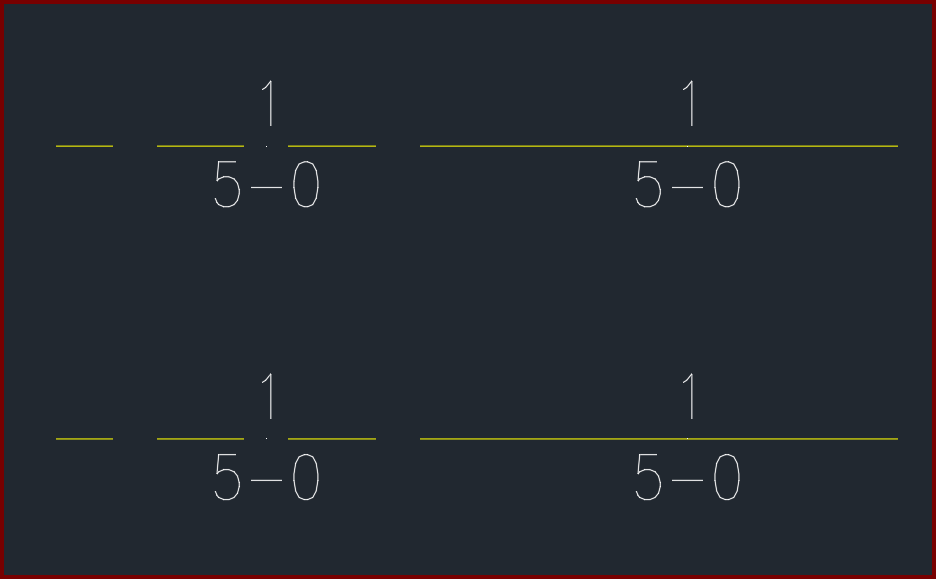
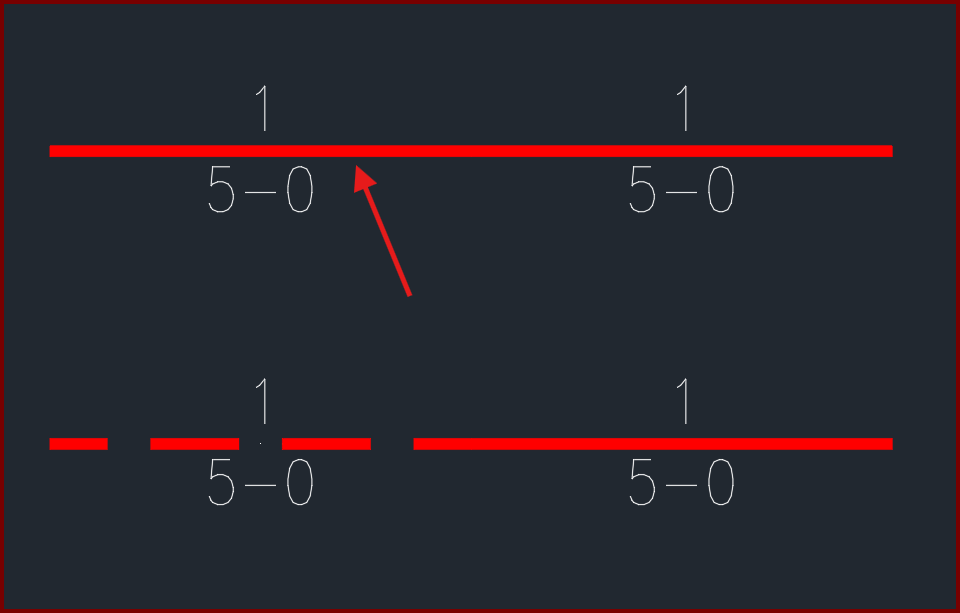
| Card 1436 View | Pretty Pipes (AutoCAD Based) | None | None | None | After setting specific linetypes for your piping, pretty pipes doesn't match the linetype of your pipe.
The pipe noted should show a HIDDEN pretty pipe, similar to the one below it
|
|
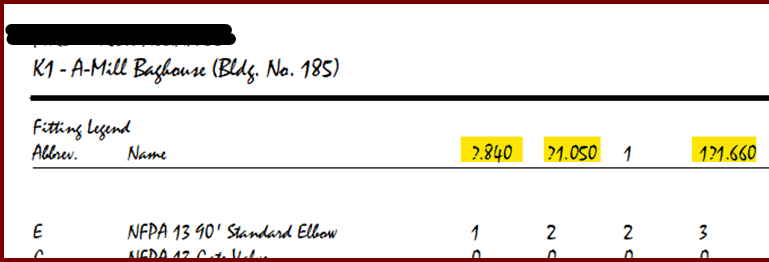
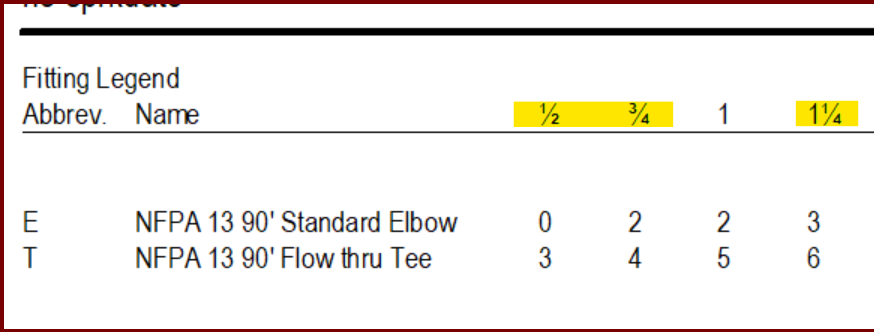
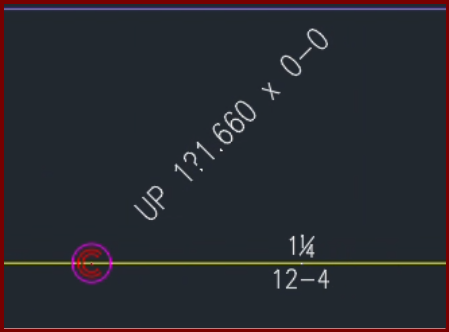
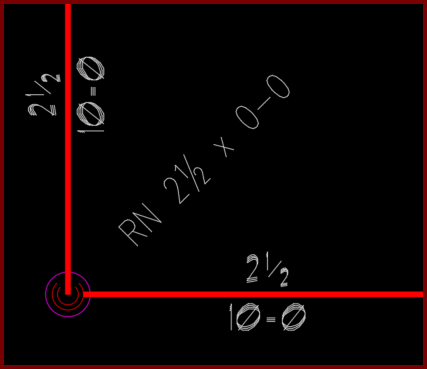
| Card 1423 View | HydraCALC (Standalone) | Print Final | None | When printing a final calculation, the font doesn't show fraction symbols for ¼ (quarter), ½ (half), or ¾ (three-quarters) They're replaced with ?.840, ?1.050, and ?1.660
These should look like this;
Of note, if using HydraCAD for AutoCAD, you get similar results on riser nipples/vertical pipes
|
||
| Card 1180 View | Cleanup (AutoCAD Based) | Draw Pretty Pipes | None | Unhandled Exception | When starting the Pretty Pipes command, you get an Unhandled Exception error including 'Could not find a part of the path'
Another error may mention blockoffsets.dat
|
|
| Card 1081 View | 3D Modeling (AutoCAD Based) | Show System Model | None | Please Switch To System Model | When attempting to create a 3D model, you get the error; Please switch to System Model to Annotate Drops and Sprigs plus System.NullReferenceException: Object reference not set to an instance of an object at HCADexports.RevitConversion.create_hydrapipes_from_db() at HCADexports.RevitConversion.create_hydrafittings_from_db(List'1 pipes, List'1 heads)
|
|
| Card 1404 View | Riser Nipples (AutoCAD Based) | None | None | None | The font of your vertical pipes do not match the font of your pipe dimensions
|
|
| Card 1318 View | HydraCALC (Revit Based) | Resize Diameteres | None | System.Nullreferenceexception: |
|
|
| Card 374 View | Piping (AutoCAD Based) | Size Pipe Setup | None | None | Somehow many of the pipes got a very small numbers in its Z-Coordinate value n/a Drawing Area Autocad 2010+ |
|
| Card 965 View | HydraCALC (Revit Based) | Hydraulic Calculations | Continue | None |
|
|
| Card 927 View | 3D Modeling (AutoCAD Based) | Show System Model | None | Access Denied | When trying to raise to 3D, show model, show system model, you get the error; Access denied to HydraPipe Utilities
and System.NullReferenceException: Object reference not set to an instance of an object at HCADexports.RevitConversion.create_hydrapipes_from_db()
|
|
| Card 1014 View | 3D Modeling (AutoCAD Based) | Show System Model | None | Sprinkler On Floor | When making a 3D model, the sprinkler heads appear on the floor.
|
|
| Card 295 View | 3D Modeling (AutoCAD Based) | Show System Model | None | None | Cannot read the HydraPipe dictionary Hydrapipes dictionary needs to be overwritten solid pipes 3d modeling v50+ |
|
| Card 467 View | Persistent Model (AutoCAD Based) | Export | None | None | The lines or mains do not get the pretty pipes applied. The layer is all lower case. Lines or Mains missing |
|
Page: