Your Quick Search:
"configure head"
Software:
Total results: 98 (Closest matches are returned first)
Page:
* On smaller devices swipe left to view hidden table data
| Ribbon/Toolbar (software) | Button | Function | Error Type | Message | ||
|---|---|---|---|---|---|---|
| Ribbon/Toolbar (software) | Button | Function | Error Type | Message | ||
| Card 1095 View | HydraCAD (Revit Based) | Configure Head | Connect To Outlet | None | When using the Continuous option, after I am done I get an error and all the changes are erased. |
|
| Card 1287 View | Sprinklers (AutoCAD Based) | Insert Sprinkler | Head Block Definition | Sprinkler Not Properly Configured | When inserting a SIDEWALL sprinkler, HydraCAD does not ask for the rotation angle of the sprinkler head, it inserts it at 0°
Ideally, it should ask for the rotation angle of the sprinkler head;
|
|
| Card 1330 View | HydraCAD (Revit Based) | Configure Head | Connect Head | None | No error, but when trying to connect a sprinkler to a pipe, connect head does not let you select a sprinkler |
|
| Card 1268 View | HydraCAD (Revit Based) | Configure Head | Connect Head | None | No Error given but Pipes look like theyy are missing after program completion.
|
|
| Card 1025 View | HydraCAD (Revit Based) | Configure Head | Connect Head | Command Failure For External Command | Revit could not complete external command... System.NullReferenceException |
|
| Card 1024 View | HydraCAD (Revit Based) | Configure Head | Connect Head | None | There are identical instances in the same place.. This will result in double counting in schedules. |
|
| Card 1127 View | HydraCAD (Revit Based) | Configure Head | Change Configuration | None | Command Failure for External Command... Revit encountered a Family symbol is not valid for this instance
|
|
| Card 1038 View | HydraCAD (Revit Based) | Configure Head | Change Configuration | Command Failure For External Command | Command Failure for External Command... ....System.Exception: No routing preference set for...
|
|
| Card 1181 View | HydraLIST (Standalone) | Head Selector | None | Sprinkler Not Properly Configured | While using the 'Choose Part Number' button to open HydraHEAD Selector and retrieive its description and part number, you get the errors below;
Runtime Error 713, Application-defined or object-defined error
|
|
| Card 1478 View | View (Revit Based) | Floor Plan | None | None |
Pipe fittings in certain views were grayed out and could not be selected, making it impossible to edit or work with them. |
|
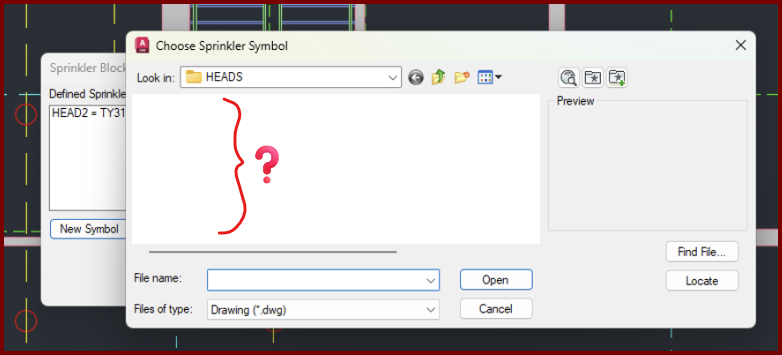
| Card 1471 View | Sprinklers (AutoCAD Based) | Select Sprinkler | Choose Head Symbol | Crash | When setting up a new head, the dialog that displays the head symbols to be selected appears, is empty, and then drawing crashes,
|
|
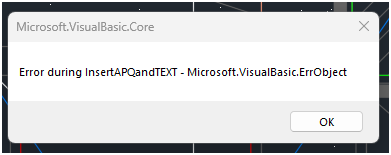
| Card 330 View | Calculations (AutoCAD Based) | Figure Head Area | None | None | When using the Figure Head Area tool, you get this error
Error during APQ insert - Microsoft VisualBasic ErrObject Error during LoadAPQFile - eFileNotFound Error during InsertAPQandTEXT |
|
| Card 545 View | Piping (AutoCAD Based) | Auto Line | None | No Connectable Heads | No connectable heads found within distance specified for the line illustrated, or heads were already connected ...
No connectable heads message comes up, even when there are obviously heads that can be connected. Can also be error stating Please re-select line away from other lines |
|
| Card 1451 View | 3D Modeling (AutoCAD Based) | Show System Model | None | Unhandled Exception | Raising to 3D and you get this error;
Exception Occured at AddURLToHyperlinks :: HydraHeads System.Runtime.InteropServices.COMException (0x80040154): Retrieving the COM class factory for component with CLSID {44D62FAE-67A7-4131-BF38-489CDFE44738} failed due to the following error: 80040154 Class not registered (Exception from HRESULT: 0x80040154 (REGDB_E_CLASSNOTREG)). |
|
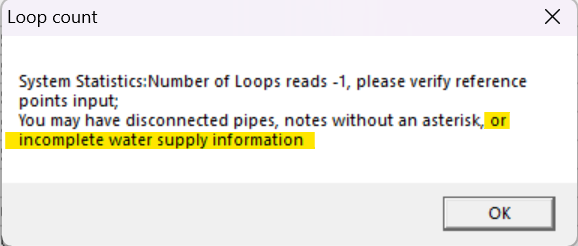
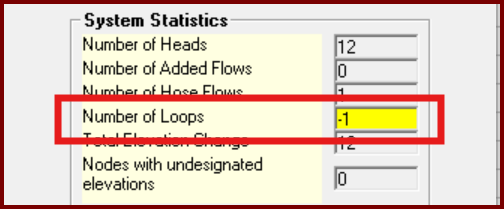
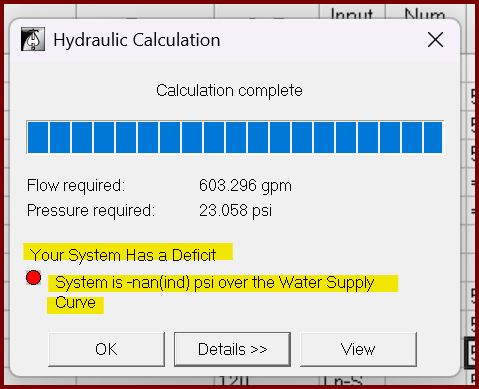
| Card 1438 View | HydraCALC (Standalone) | Calculate | Calculation Results | None | When running a calc, you first get this error indicating a number of possibilities.
Then the Pre-calc Questions window pops up with a warning.
But you go ahead with the calculation anyway and get this result Your System Has a Deficit System is -nan(ind) psi over the Water Supply Curve
|
|
| Card 48 View | HydraCALC (Standalone) | Calculate | None | Runtime Error | Runtime error 70 permission denied
|
|
| Card 569 View | HydraCALC (AutoCAD Based) | Calculate | None | None | After calculating system this message pops up..."The specified remote head does not have a k factor. Please fix your input" hydcalc.exe |
|
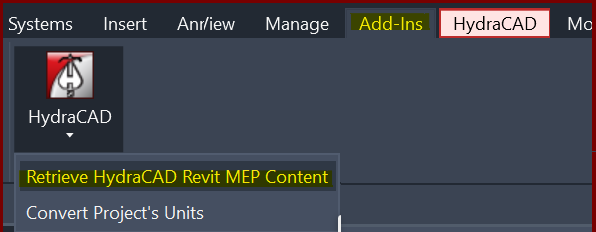
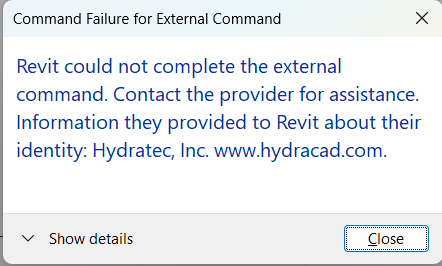
| Card 1418 View | Collaborate (AutoCAD Based) | Create Revit Mep Link To System Model | None | Revit Could Not Complete The External Command. | When Retrieving MEP content an error occurs. This is caused by a bad heads in the HydraCAD for AutoCAD project.
Command Failure for External Command
|
|
| Card 1353 View | Sprinklers (AutoCAD Based) | Select Sprinkler | Head Selector | None | Blacked out cells in Head Selector dialog
|
|
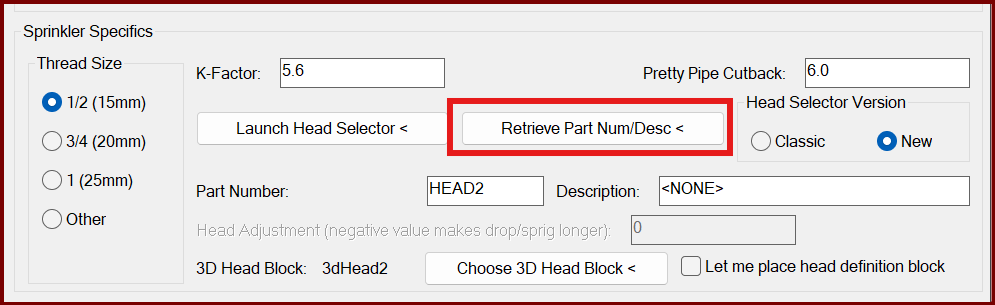
| Card 1411 View | Sprinklers (AutoCAD Based) | Select Sprinkler | Head Selector | Bad Argument | When selecting "Retrieve Part Num/Desc <" from the sprinkler Block Definition window, you get the error; Error: bad argument type: stringp nil
|
|
Page: