Your Quick Search:
"Multiple Stop Signs"
Software:
Total results: 33 (Closest matches are returned first)
Page:
* On smaller devices swipe left to view hidden table data
| Ribbon/Toolbar (software) | Button | Function | Error Type | Message | ||
|---|---|---|---|---|---|---|
| Ribbon/Toolbar (software) | Button | Function | Error Type | Message | ||
| Card 992 View | HydraCAD (Revit Based) | Hangers | Pick Point | None | No error message but command simply stops after one brace...
When running the hanger command for sway bracing, it will only add one brace.
|
|
| Card 94 View | Calculations (AutoCAD Based) | Calc Check Ups | None | None | Upon starting the Checkup command for AutoCalc, the command starts but stops. The Command Prompt says; "Initializing... Checking to make sure heads are in the right layer...bad argument type: stringp nil" As a side note, the user's drawing had multiple repeat head definition boxes (blue boxes in ACC1 layer). These were cleaned up (deleted) and the heads redefined. The AUDIT command was run after the cleanup |
|
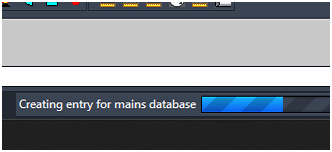
| Card 1472 View | 3D Modeling (AutoCAD Based) | Show Fittings | None | Freezes | When raising to 3D, the drawing hangs. On the progress bar at the bottom, it may be stuck at, "Creating entry for mains database"
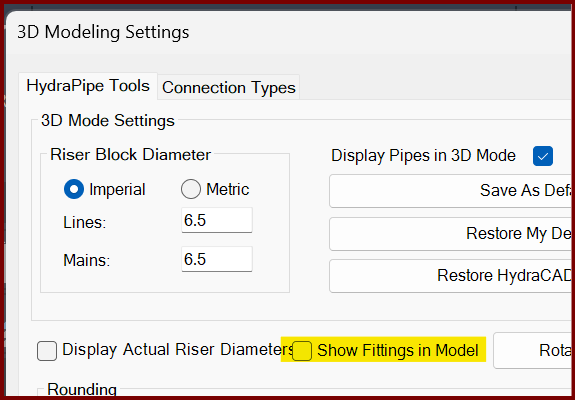
If you turn off the Show Fittings in Model option found in the 3D Modeling Settings window (3MO command), it likely will create a model.
The only option is to End Task AutoCAD to stop the process. |
|
| Card 1184 View | Calculations (AutoCAD Based) | Start Autocalcs | None | Runtime Error | When running AutoCALC, the process stops around step 2.4c and you get a Run-time error 457, "This key is already associated with an element of this collection
|
|
| Card 71 View | Calculations (AutoCAD Based) | Start Autocalcs | None | None | When starting AutoCALC, it stops in the v50 Fuel Gauge at step 1a.4 - Calculating Total Lengths. Working on the pipe from node #### to node #### with a fitting string of ...
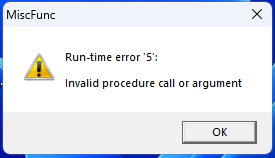
May be followed by a Runtime Error 13 or Runtime Error 5 |
|
| Card 1061 View | HydraCALC (Revit Based) | Hydraulic Calculations | Continue | Runtime Error |
Calculation stops at Step 1a.4 - calcing total lengths Can be accompanied with a "Runtime error 5 - invalid procedure call or argument" or "Runtime error 6 - overflow" |
|
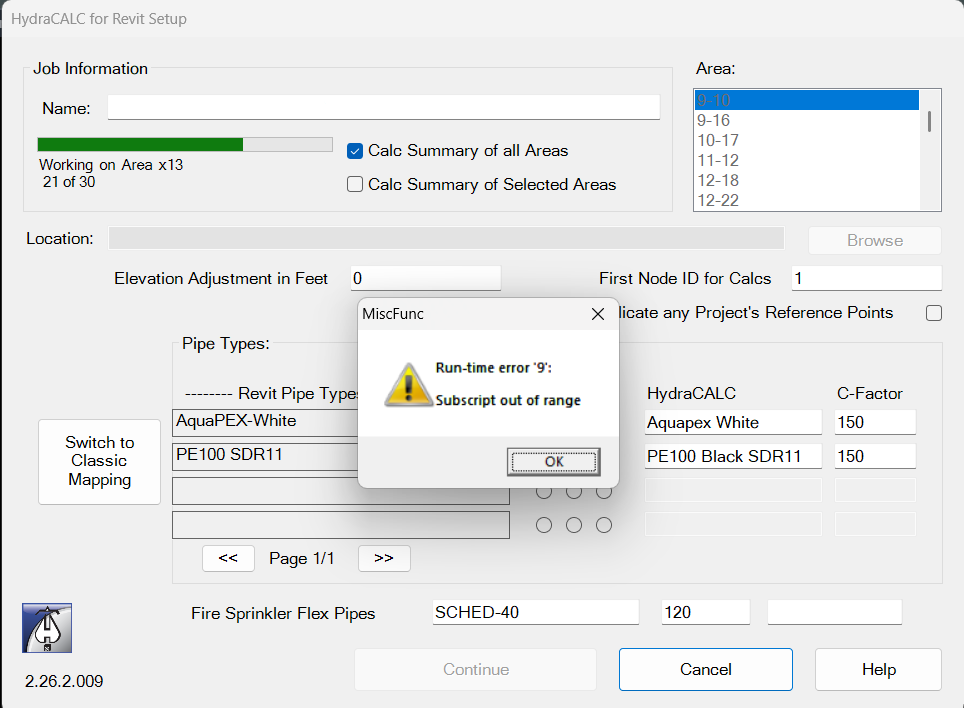
| Card 1442 View | HydraCALC (Revit Based) | Hydraulic Calculations | Continue | None | Run-time error 9: Subscript out of range Area 21 of 30
|
|
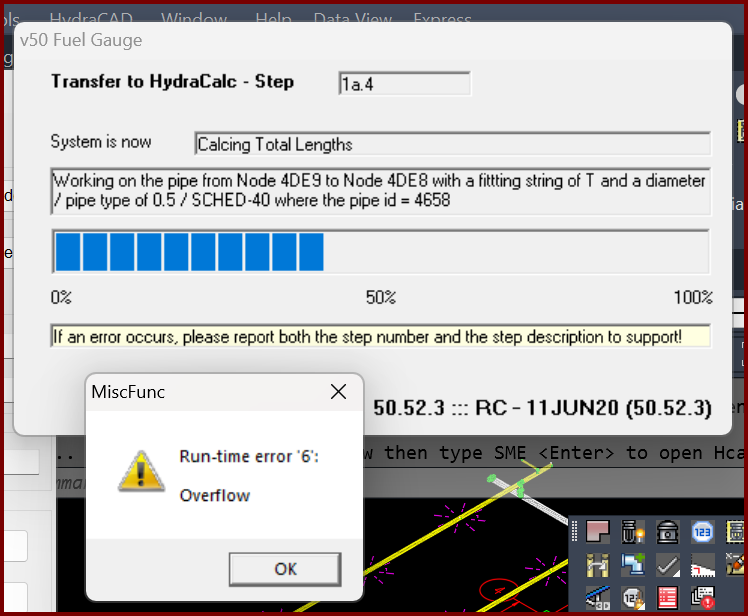
| Card 1399 View | Calculations (AutoCAD Based) | Start Autocalcs | None | Runtime 6 | When starting AutoCALC the v50 Fuel Gauge stops at step 1a.4 plus you get a Run-time error 6; Overflow
Working on pipe from Node ### to Node ### with a fitting of "?" and a diameter of / pipe type of 0.5 / SCHED-40 where the pipe id = ### The "####" values represent handles. It is recommended you use the FINDME tool to find the coordinates of the handles, this will help narrow down the cause of the error. May also see a Runtime Error 5, "invalid procedure" |
|
| Card 1415 View | HydraCALC (Revit Based) | Hydraulic Calculations | Continue | None | Calc process stops at step 1a.4 and Runtime Error 5 displays
|
|
| Card 1414 View | HydraCAD (Revit Based) | Add Device | Opening | None | When trying to open Add Device, nothing happens and Revit just hangs up / appears frozen. |
|
| Card 1413 View | All (Revit Based) | Setup | None | None | No error, but after clicking Setup, Revit freezes / stops working, and nothing else is able to be selected. |
|
| Card 1375 View | HydraCALC (Revit Based) | Hydraulic Calculations | Continue | 200 Passes | This job has gone 200 or more passes without balancing.
|
|
| Card 1334 View | HydraCALC (Revit Based) | Hydraulic Calculations | Continue | None | Calc stops at step 2.2a, also creates Run-time error 5
|
|
| Card 1168 View | HydraCALC (Revit Based) | Hydraulic Calculations | Continue | None | Calc stops at Step 2.3 (Can also show Run-time error 62)
|
|
| Card 385 View | Sprinklers (AutoCAD Based) | Bay Space | None | Bad Argument | Keyboard alias "BS" Bayspace preview is not lining up the sprinklers evenly. Or Bayspace stops working with a "Bad Argument Type 2D/3D point error." message. |
|
| Card 1317 View | HydraCALC (Revit Based) | Hydraulic Calculations | Continue | None | Calc loading bar stops completely at step 1a.9
|
|
| Card 509 View | Head Selector (Standalone) | None | None | None | While multiple PDFs are being opened in the PDF viewer, HydraHEADS displays a message box; "There were 'x' PDFs for this sprinkler...". The user clicked OK on the dialog box before the PDF viewer had a chance to open *ALL* the PDFs. Runtime Error dialog box 50.21.4 |
|
| Card 322 View | Launching HydraCAD (AutoCAD Based) | None | None | None | Multiple flavors of AutoCAD on same machine. The first one gets only partially configured. The paths are set right, but the SMaRT stuff is not configured Opening Multiple |
|
| Card 1079 View | HydraCALC (Revit Based) | Hydraulic Calculations | Continue | None | Failure at Step 5a.3b |
|
| Card 1286 View | HydraCALC (Revit Based) | Define Supply | None | Command Failure For External Command | Command Failure for External Command... The Parameter is Read-Only
|
|
Page: