AutoCAD Based (3d modeling)
Total: 63
* On smaller devices swipe left to view hidden table data
| Ribbon/Toolbar (Software) | Button | Function | Error Type | Description | ||
|---|---|---|---|---|---|---|
| Ribbon/Toolbar (Software) | Button | Function | Error Type | Description | ||
| Card 905 View | 3D Modeling (AutoCAD Based) | Show System Model | None | Fatal Error |
|
|
| Card 853 View | 3D Modeling (AutoCAD Based) | Show System Model | None | None | The process to make the 3D model takes less than 1 millisecond and says it's successful, but after switching to the isometric view, no 3D pipes have been created.
ALSO SEE; |
|
| Card 844 View | 3D Modeling (AutoCAD Based) | System Boundary | None | Fatal Error | When trying to insert a System Boundary, the user gets these messages.
|
|
| Card 803 View | 3D Modeling (AutoCAD Based) | Show System Model | None | Fatal Error | When attempting to 'Show Fittings' (SHF command), user gets an AutoCAD Fatal Error. Create 3D Model causes a fatal error
Or no error at all. Autocad freezes then crashes without an error other than the AutoCAD Error Report
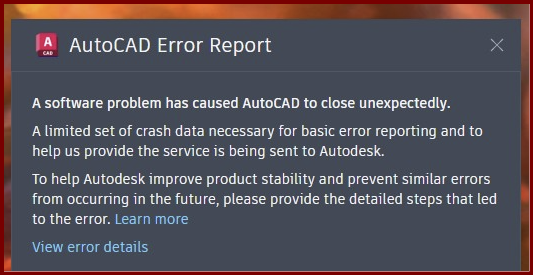
A software problem has caused AutoCAD to close unexpectedly |
|
| Card 549 View | 3D Modeling (AutoCAD Based) | Show System Model | None | None | Drawing zooms out to expected isometric view as if 3D System Model has been completed. No 3D Pipe can be found. Unknown cause No 3D Pipe Seen All |
|
| Card 539 View | 3D Modeling (AutoCAD Based) | Show System Model | None | None | 3D model process is starting on a dead end vertical main pipe. Any process of making model. |
|
| Card 538 View | 3D Modeling (AutoCAD Based) | Show System Model | None | None | Overlooked n/a 3D Model n/a |
|
| Card 537 View | 3D Modeling (AutoCAD Based) | Show System Model | None | None | 1. Important layers such as SPRKDAT1 through SPRKDAT4 are lower case instead of upper case. 3d modeling |
|
| Card 522 View | 3D Modeling (AutoCAD Based) | Show System Model | None | None | It was not the 3D command that broke things, it was OVERKILL Go to 3D |
|
| Card 520 View | 3D Modeling (AutoCAD Based) | Persistent Model | None | None | Possible duplicate Device @ (0,0,0)
There are 3d solids in the drawing that have no geometry. They must be deleted but cannot be selected with a window. Issue can be caused when a 3D Detail fails to be created properly - process creates a footprint at 0,0,0 with no geometry to be seen. Persistent Model |
|