AutoCAD Based Cards
Total: 726
* On smaller devices swipe left to view hidden table data
| Ribbon/Toolbar (Software) | Button | Function | Error Type | Description | ||
|---|---|---|---|---|---|---|
| Ribbon/Toolbar (Software) | Button | Function | Error Type | Description | ||
| Card 267 View | 3D Modeling (AutoCAD Based) | Switch To Edit Mode | None | None | Vertical pipe issue. Switching back to Edit Mode (S2D) leaves HydraPipes in Hydrapipe layer. Then when trying to show system model again (S3D) you get an AutoCAD message box "Please Switch to Edit Mode" |
|
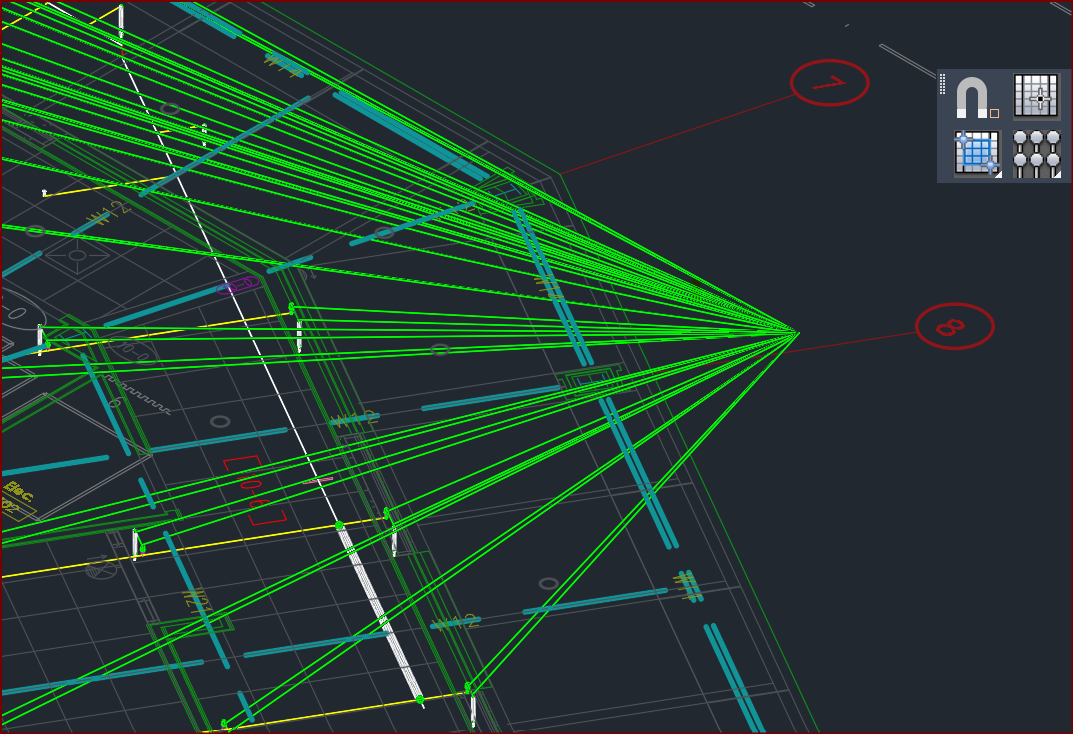
| Card 95 View | 3D Modeling (AutoCAD Based) | Show System Model | None | None | After raising to 3D, you see green lines extending from (0,0,0) to points on the drawing
You can erase the green lines and continue on, this is an annoyance and inconvenience but not really a problem. |
|
| Card 362 View | 3D Modeling (AutoCAD Based) | Show System Model | None | None | Fatal Error |
|
| Card 324 View | 3D Modeling (AutoCAD Based) | Find Defline | None | Unhandled Exception | Unhandled exception when using find defline from the smartool options dialog. if there is any pipe that does not get elevated trying this command from the dialog will cause error smartool options |
|
| Card 520 View | 3D Modeling (AutoCAD Based) | Persistent Model | None | None | Possible duplicate Device @ (0,0,0)
There are 3d solids in the drawing that have no geometry. They must be deleted but cannot be selected with a window. Issue can be caused when a 3D Detail fails to be created properly - process creates a footprint at 0,0,0 with no geometry to be seen. Persistent Model |
|
| Card 422 View | 3D Modeling (AutoCAD Based) | Show System Model | None | None | Sprinkler heads not defined in the drawing or no 3D block assigned for a sprinkler head. Going to Navis only - corrupt Persistent Model drawing? eKeyNotFound Dialog box HydraCAD |
|
| Card 350 View | 3D Modeling (AutoCAD Based) | Show System Model | None | None | All SPRKDATA diameters are set to ? while cut diameters are still correct. Not sure of cause. |
|
| Card 295 View | 3D Modeling (AutoCAD Based) | Show System Model | None | None | Cannot read the HydraPipe dictionary Hydrapipes dictionary needs to be overwritten solid pipes 3d modeling v50+ |
|
| Card 453 View | 3D Modeling (AutoCAD Based) | Show System Model | None | None | Possible bad System Boundary. |
|
| Card 290 View | 3D Modeling (AutoCAD Based) | Show System Model | None | None | 1. Can happen when creating a 3d model by picking a system boundary/boundaries. Bad/corrupt system boundary. 2d to 3d button 3d modeling v50+ |
|