Advanced Search
Total results: 1335
Page:
* On smaller devices swipe left to view hidden table data
| Ribbon/Toolbar (software) | Button | Function | Error Type | Description | ||
|---|---|---|---|---|---|---|
| Ribbon/Toolbar (software) | Button | Function | Error Type | Description | ||
| Card 1483 View | HydraCAD (Revit Based) | Hangers | Brace | None | When trying to use the Hangers tool, and insert a Brace, it only allows for a single brace to be added. |
|
| Card 1392 View | HydraCAD (Revit Based) | Import from the latest Toolbox | None | None | After attempting to download the Latest Toolbox, a warning appears saying the file cannot be opened.
|
|
| Card 1091 View | Installation (Revit Based) | None | None | None | Greyed out options in the Addin Assistant and ribbons do not appear in Revit
|
|
| Card 1469 View | Piping (AutoCAD Based) | Define Pipe Elevations | None | Unhandled Exception | Error occurs when using some commands. Autodesk has released AutoCAD 2025.1.4 & 2026.1.2 updates which breaks HydraCAD. It includes a major programming change by Autodesk that will require a lot of work and a large update by us. That update is being worked on right now, along with a version of HydraCAD for AutoCAD 2027. All are now affected by essentially the same programming change. BinaryFormatter serialization and deserialization are disabled within this application. See https://aka.ms/binaryformatter for more information. Other commands with this error; Sprinkler Layout dialog (SL command) Default Dialog Location (DDL command) |
|
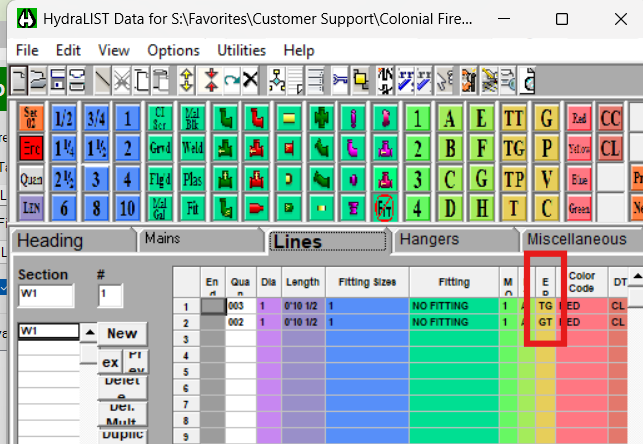
| Card 1482 View | HydraLIST (Revit Based) | Auto Stocklist | None | None | Flex Pipes on Armovers list as TG pipes instead of TT |
|
| Card 55 View | Calculations (AutoCAD Based) | Start Autocalcs | None | Unhandled Exception | Unhandled exception: Input string not in correct format |
|
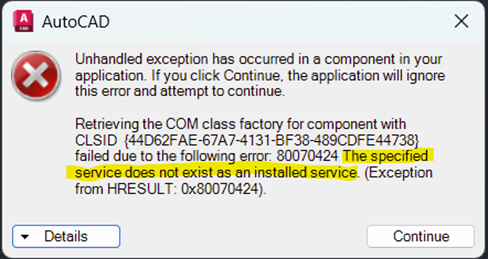
| Card 1452 View | Launching HydraCAD (AutoCAD Based) | None | None | Unhandled Exception | When opening Hydracad you get the following error:
Unhandled exception has occurred
in a component in your application. If you click
Continue, the application will ignore this error and attempt to
continue. Retrieving the COM class factory
for component with CLSID
{44D62FAE-67A7-4131-BF38-489CDFE44738} failed due to the following error:
80070424 The specified service does not exist as an installed service.
(Exception from HRESULT: 0x80070424). |
|
| Card 64 View | Calculations (AutoCAD Based) | Start Autocalcs | None | None | Step 1a.6 - attaching nodes Hangs pause pauses locks freezes |
|
| Card 1481 View | HydraCALC Sizer (Standalone) | None | None | None | If experiencing an issue with HydraCalc Sizer please contact support at: |
|
| Card 1241 View | HydraKEY (Security and Licensing) | Register (Subscription) | None | Security Error | Error in HydraKEY somewhere... |
|
Page: