AutoCAD Based Cards
Total: 726
* On smaller devices swipe left to view hidden table data
| Ribbon/Toolbar (Software) | Button | Function | Error Type | Description | ||
|---|---|---|---|---|---|---|
| Ribbon/Toolbar (Software) | Button | Function | Error Type | Description | ||
| Card 334 View | Build 3D Risers (AutoCAD Based) | Insert Fitting Via Parts Tree | None | None | 1) Inserting 3d fittings is very slow & you must hit enter several times to get through the command. Must pick Enter or OK for each fitting. 2) Could also be related to an AutoCAD drawing variable setting. |
|
| Card 480 View | Build 3D Risers (AutoCAD Based) | Insert Fitting Via Parts Tree | None | Unhandled Exception | 3dends folder or files missing unhandled exception |
|
| Card 487 View | Build 3D Risers (AutoCAD Based) | Lunch HydraList | None | Runtime Error | When attempting to Launch HydraLIST to start building your riser, you get this error;
|
|
| Card 418 View | Build 3D Risers (AutoCAD Based) | Insert Fitting Via Parts Tree | None | Unhandled Exception | When trying to insert a 3D fitting via the Fittings Parts Tree, the user gets the error message; Microsoft .NET Framework When user clicks CONTINUE and tries to use the INSERT button to insert a fitting, another dialog box pops up INSERT FITTINGS |
|
| Card 265 View | Build 3D Risers (AutoCAD Based) | Insert Ski Pole | None | None | Unknown *invalid_ skipole* 3D Risers HydraCAD v50 |
|
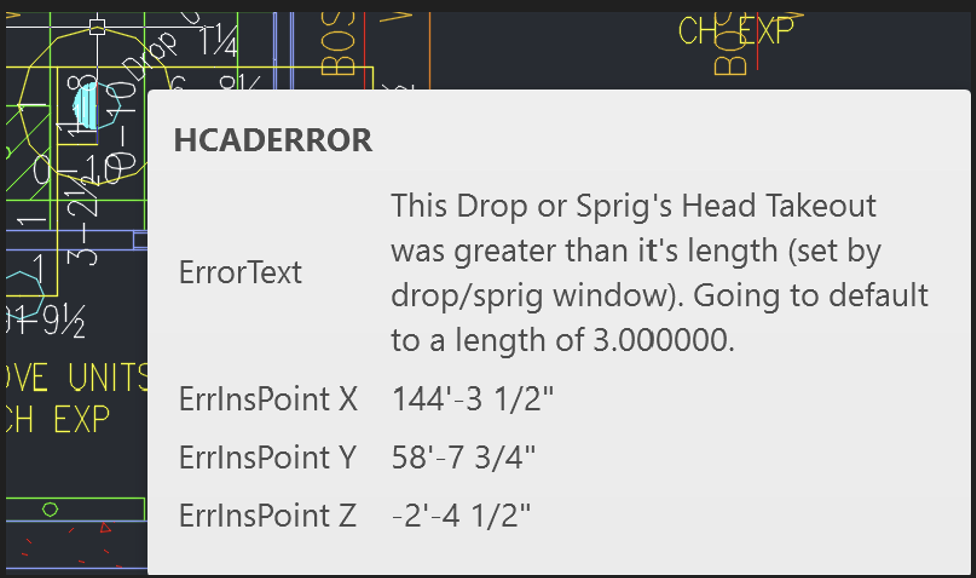
| Card 1466 View | 3D Modeling (AutoCAD Based) | None | None | None | Using negative floor elevations and drop windows with specified lengths, drops give a warning that takeout was greater than it's length, when going to 3D.
|
|
| Card 1451 View | 3D Modeling (AutoCAD Based) | Show System Model | None | Unhandled Exception | Raising to 3D and you get this error;
Exception Occured at AddURLToHyperlinks :: HydraHeads System.Runtime.InteropServices.COMException (0x80040154): Retrieving the COM class factory for component with CLSID {44D62FAE-67A7-4131-BF38-489CDFE44738} failed due to the following error: 80040154 Class not registered (Exception from HRESULT: 0x80040154 (REGDB_E_CLASSNOTREG)). |
|
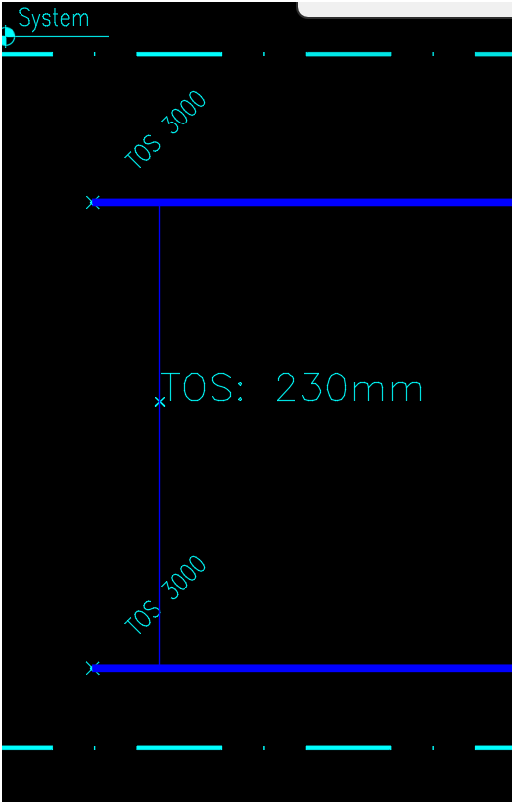
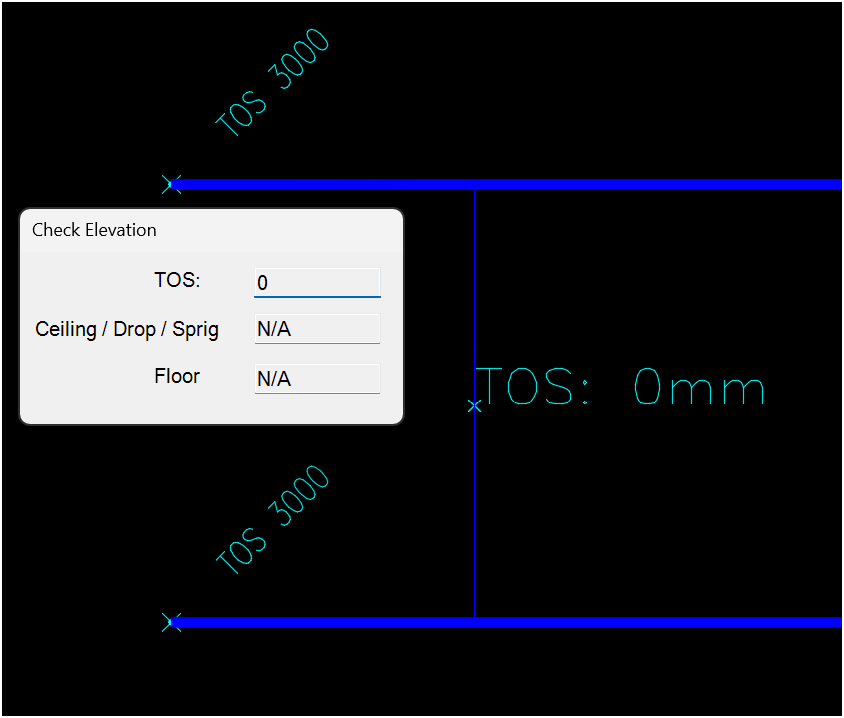
| Card 1449 View | 3D Modeling (AutoCAD Based) | Check Elevation | Ce Command | None | Trying to get an elevation but the results are either 0 or an incorrect value This result should report 3000mm, instead it reports 230mm
This should report 3000mm, not 0mm
|
|
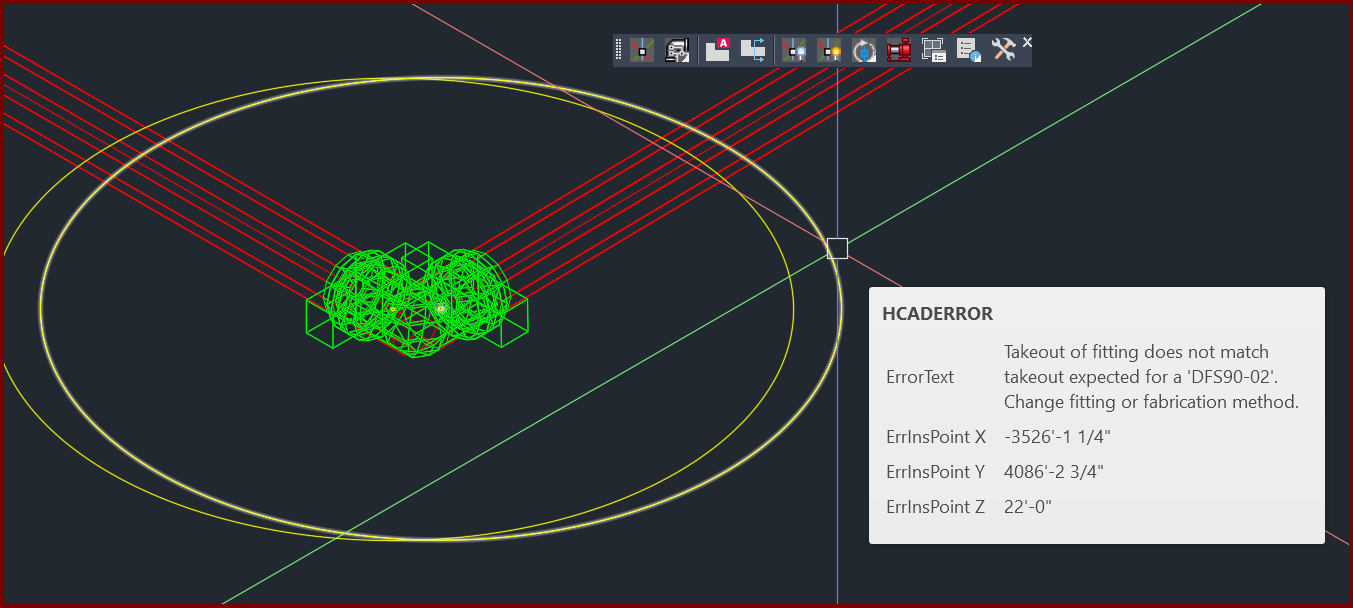
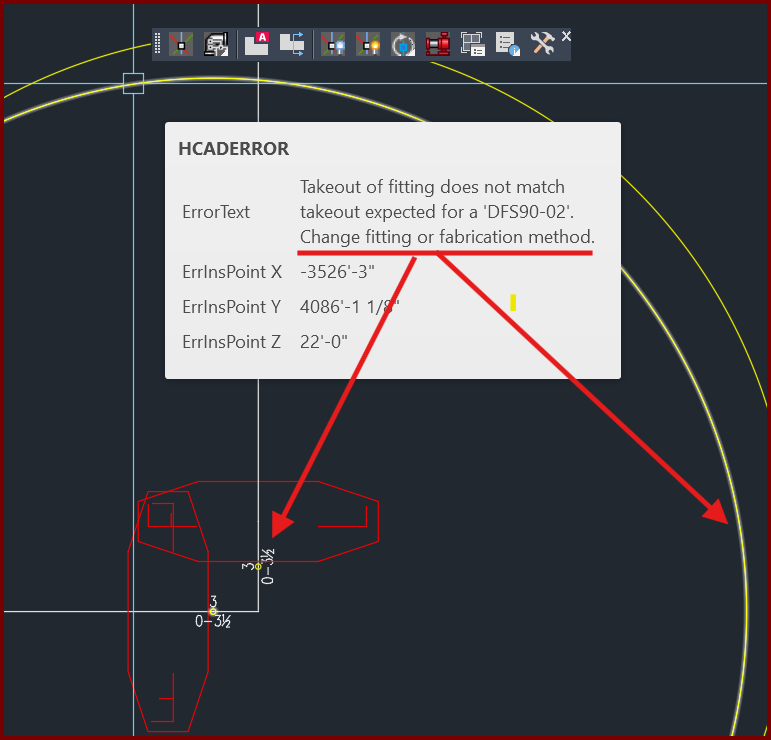
| Card 1420 View | 3D Modeling (AutoCAD Based) | 3D Modeling Options | None | Takeout Of Fitting Does Not Match | When raising to 3D (S3D command), you get a yellow circle with the message "Takeout of fitting does not match takeout expected for a "??????". Change fitting of fabrication method"
|
|
| Card 1358 View | 3D Modeling (AutoCAD Based) | S3D - Raise to 3D | None | None | When closing a drawing in 3D, and later re-opening and returning to 2D, some of the drawing symbols show up looking like outlines (Hangers, Sprinklers, etc)
|
|