AutoCAD Based Cards
Total: 726
* On smaller devices swipe left to view hidden table data
| Ribbon/Toolbar (Software) | Button | Function | Error Type | Description | ||
|---|---|---|---|---|---|---|
| Ribbon/Toolbar (Software) | Button | Function | Error Type | Description | ||
| Card 193 View | HydraCAD Residential (AutoCAD Based) | Perform Hydraulic Calculations | None | Runtime Error | invalid procedure call or argument Runtime Error 5, plumbing fixtures |
|
| Card 216 View | HydraCAD Residential (AutoCAD Based) | Perform Hydraulic Calculations | None | Runtime Error | runtime error 9: subscript out of range Runtime Error 9, |
|
| Card 207 View | HydraCAD Residential (AutoCAD Based) | Perform Hydraulic Calculations | None | Runtime Error | run-time error '-2145386476 (80200014) key not found Run-Time Error ..., |
|
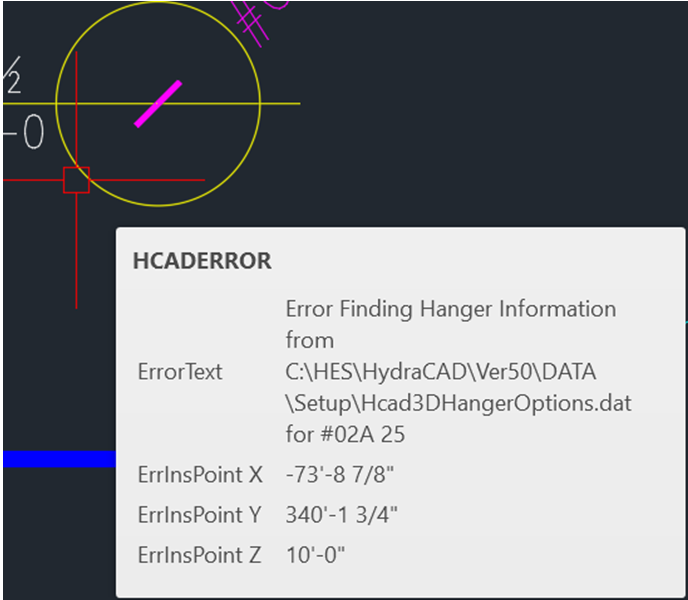
| Card 1465 View | Hangers (AutoCAD Based) | Create 3D Hangers | None | None | Error Finding Hanger Information when generating 3D Hangers
|
|
| Card 1033 View | Hangers (AutoCAD Based) | Auto Hang | None | Bad Argument Type: Numberp: Nil | When trying to insert a hanger, either with layout hangers, single hangers or autohang, you get this error message
It may also put a single random hanger out in space then kick you out of the command
|
|
| Card 340 View | Hangers (AutoCAD Based) | Create 3D Hangers | None | None | Create 3D Hangers command did not created 3D hangers for the #01B hanger assembly but it did for all other hanger assembly types. #01B 3D hanger information is not in the DAT file. HydraCAD v50 |
|
| Card 347 View | Hangers (AutoCAD Based) | Create 3D Hangers | None | None | 3D hangers appear 'on the floor' Hangers |
|
| Card 440 View | Hangers (AutoCAD Based) | Insert One Hanger | None | None | Hangers are computer generated and there is no TOS deflines or the drawing was not raised first. creating |
|
| Card 258 View | Hangers (AutoCAD Based) | Insert One Hanger | None | None | Hanger length attribute is missing. The hanger inserts only the assembly number even if the HIDE NUMBER box is checked in the Hanger Setup. A V45 hanger block is in the drawing. It has only one attribute value & can display only the number. HydraCAD v50 |
|
| Card 247 View | Hangers (AutoCAD Based) | Insert One Hanger | None | None | 1. HydraCAD v45 SMaRT drawing in HydraCAD v50 bad argument HydraCAD v50 |
|