Advanced Search
Total results: 8
Page:
* On smaller devices swipe left to view hidden table data
| Ribbon/Toolbar (software) | Button | Function | Error Type | Description | ||
|---|---|---|---|---|---|---|
| Ribbon/Toolbar (software) | Button | Function | Error Type | Description | ||
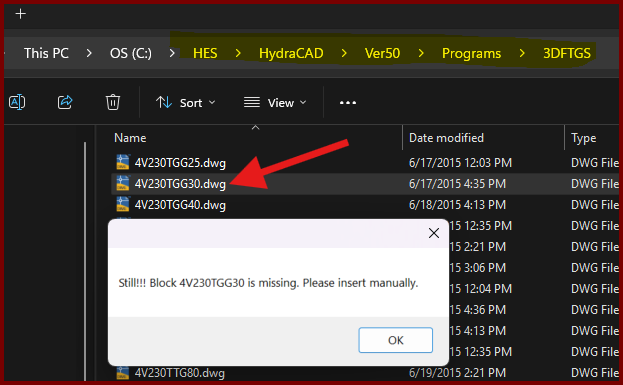
| Card 1437 View | Build 3D Risers (AutoCAD Based) | Insert Fitting Via Parts Tree | None | Block Is Missing | When trying to insert a valve type fitting from the parts tree, you get the error; Still!!! Block ### is missing. Please insert manually.
However checking the database for the drawing file shows it exists. |
|
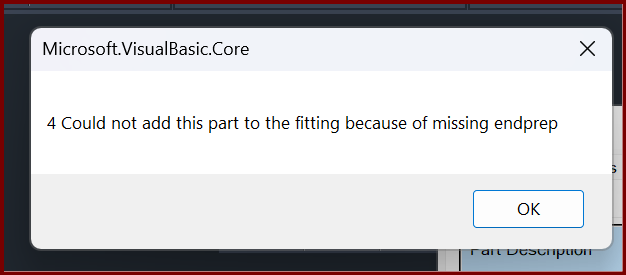
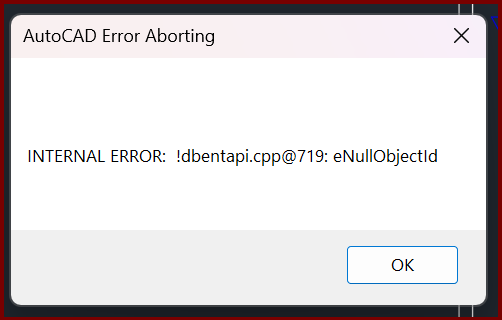
| Card 1419 View | Build 3D Risers (AutoCAD Based) | Insert Fitting Via Parts Tree | None | Internal Error | When trying to insert a specific fitting, you get the error Could not add this part to the fitting because of missing endprep
then; AutoCAD Error Aborting INTERNAL ERROR: !dbentapi.cpp@719: eNullObjectld
|
|
| Card 429 View | Build 3D Risers (AutoCAD Based) | Insert Fitting Via Parts Tree | None | None | Corrupt #741 drawing. 26090000xx.DWG Fatal Error n/a AutoCAD 2014 |
|
| Card 334 View | Build 3D Risers (AutoCAD Based) | Insert Fitting Via Parts Tree | None | None | 1) Inserting 3d fittings is very slow & you must hit enter several times to get through the command. Must pick Enter or OK for each fitting. 2) Could also be related to an AutoCAD drawing variable setting. |
|
| Card 480 View | Build 3D Risers (AutoCAD Based) | Insert Fitting Via Parts Tree | None | Unhandled Exception | 3dends folder or files missing unhandled exception |
|
| Card 1147 View | Build 3D Risers (AutoCAD Based) | Insert Fitting Via Parts Tree | None | Unhandled Exception | When clicking the button for the Parts Tree or to Insert via HydraLIST, you get this error eInvalidContext
Unhandled exception has occurred in a component in your application. If you click Continue, the application will ignore this error and attempt to continue.
|
|
| Card 418 View | Build 3D Risers (AutoCAD Based) | Insert Fitting Via Parts Tree | None | Unhandled Exception | When trying to insert a 3D fitting via the Fittings Parts Tree, the user gets the error message; Microsoft .NET Framework When user clicks CONTINUE and tries to use the INSERT button to insert a fitting, another dialog box pops up INSERT FITTINGS |
|
| Card 1104 View | Build 3D Risers (AutoCAD Based) | Insert Fitting Via Parts Tree | None | Unhandled Exception | After setting up a fitting in the Parts Tree then trying to Insert Fitting, you get the Unhandled Exception error below eLockViolation
|
|
Page: