Need to save a card for later?
Create a bookmark folder in your browser of choice (Chrome, Firefox...), and save individual cards in your bookmarks to view here later.

Standalone HydraCALC (Location)
Description:
When opening HydraCalc v50, you get Run-time error '13' Type mismatch OK
The calc program MAY open but you cannot open any jobs or do anything in the window.
WXF file is being double-clicked
Try to open it by going to [File|Open] and open it that way
WXF file is on a Onedrive desktop folder
Copy/move the file to [C:\HES\HydraCALC\VER50\Data\Jobs] then in HydraCALC, use [File|Open] to open it.
Avoid double-clicking the file to try to open it.
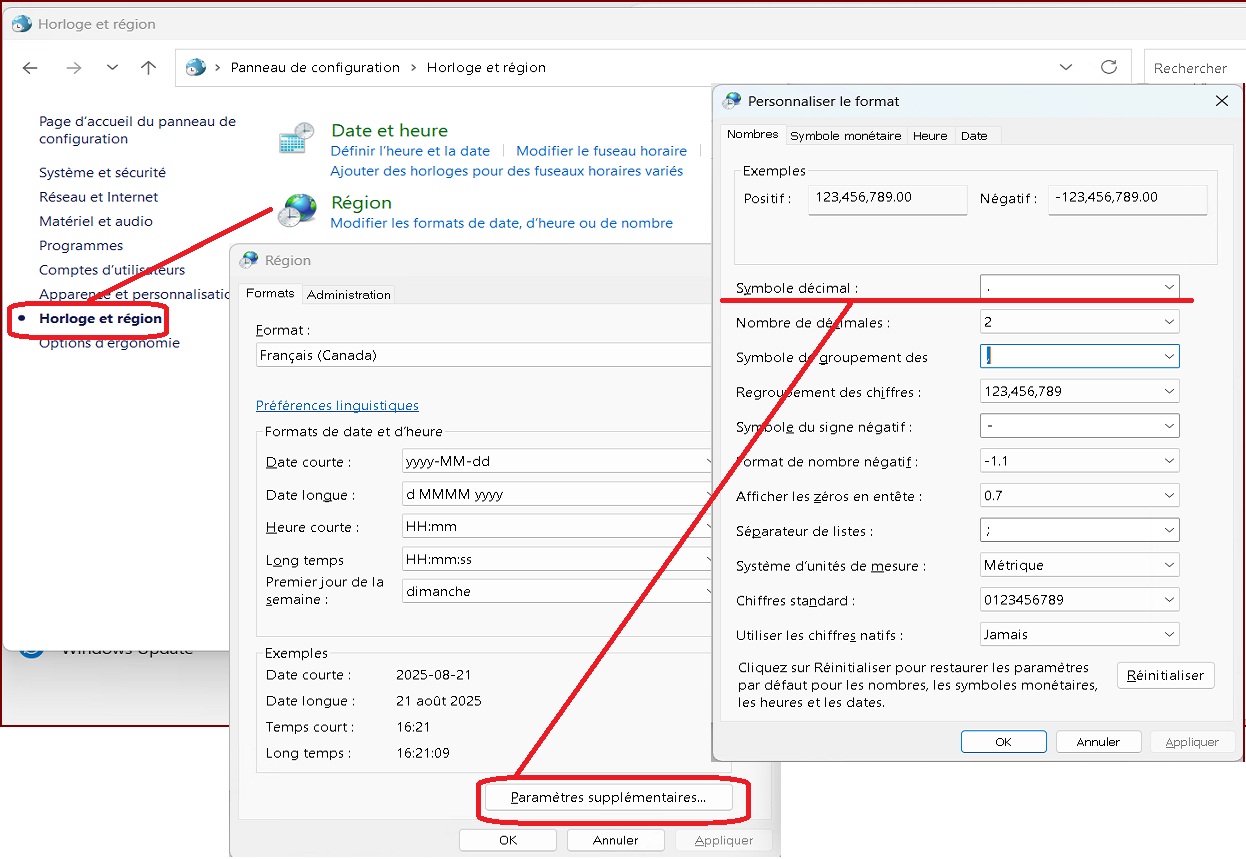
Regional settings issue, the character used to indicate decimals is a comma instead of a period.
Open the Control Panel and go to 'Clock and Region'
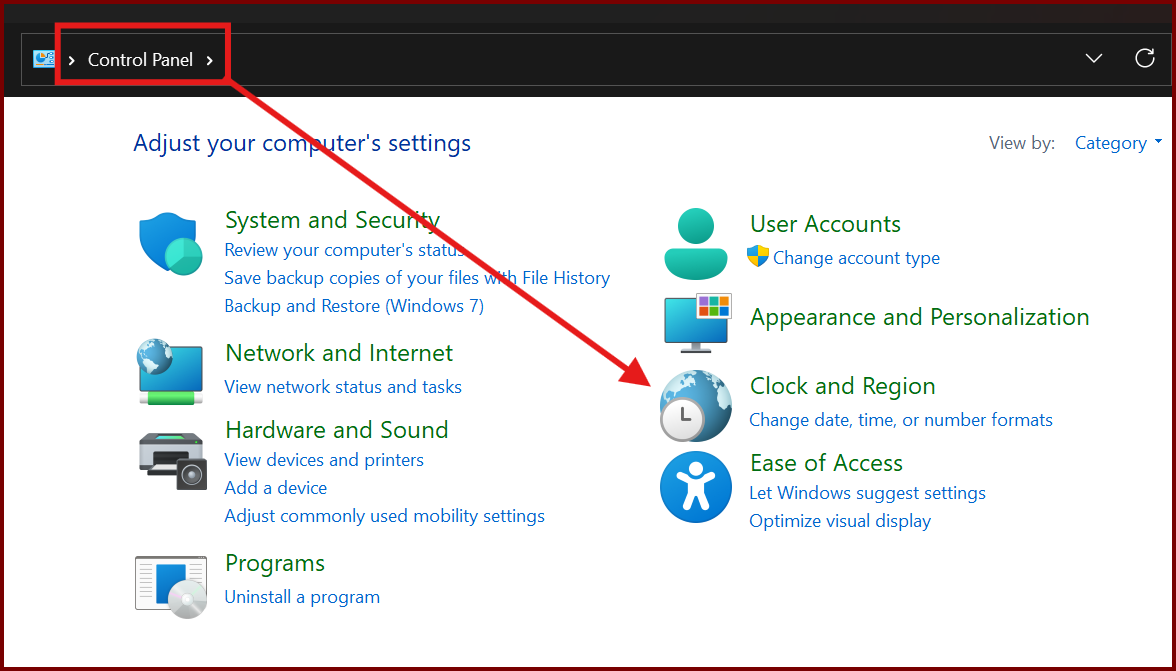
Select "Horloge et Région / Clock and Region"
Select "Région / Region"
Select "Paramèters supplémentaires / Additional settings"
Change "Symbole décimal / Decimal symbol" to a period.
Click OK back through the windows to save your changes.