Need to save a card for later?
Create a bookmark folder in your browser of choice (Chrome, Firefox...), and save individual cards in your bookmarks to view here later.

AutoCAD Based Riser Nipples (Ribbon/Toolbar/Location)
Description:
When inserting a vertical pipe, the circle part of the block remains as a white circle, instead of a red pacman/clamshell.
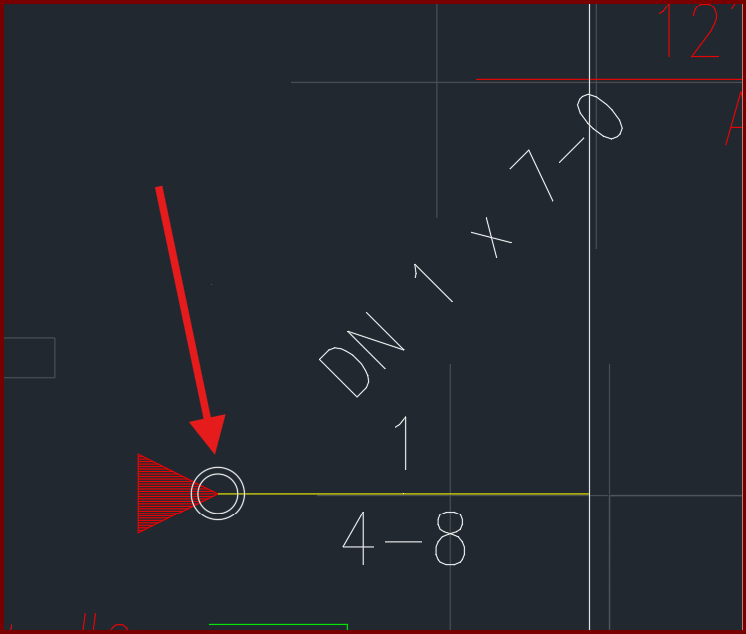
The drawing has a pre-defined block named VP which was used in Hydracad v40 but is now obsolete.
This block is preventing the new style hydrapipe vertical pipe from being inserted
1. You can find these blocks in the SPRKDATC & HpipeCGen layers. Isolate these layers to see where they're located and take note of their values. You can use the CB command (count blocks) to find how many are inserted.
2. Select any one then right-click, choose SELECT SIMILAR from the menu. This will highlight all of them. Press the DELETE key to erase all.
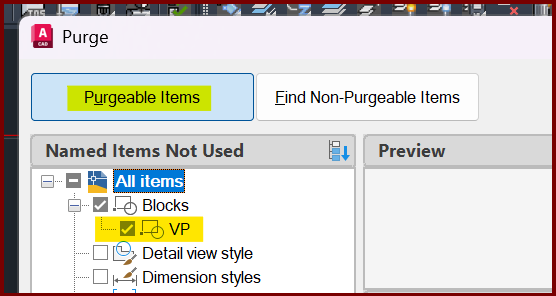
3. Type PURGE at the command prompt then <enter>. Select the 'Purgable Items' button, expand BLOCKS and click the block named VP. Then click Purge Checked Items at the bottom of the window to purge the block from memory. Close the window.
You will now be able to insert v50 style vertical pipes