Need to save a card for later?
Create a bookmark folder in your browser of choice (Chrome, Firefox...), and save individual cards in your bookmarks to view here later.

AutoCAD Based Listing (Ribbon/Toolbar/Location)
Description:
When the OK button is clicked from the AutoLIST Setup window, it'll either hang/freeze or crash with a Fatal Error
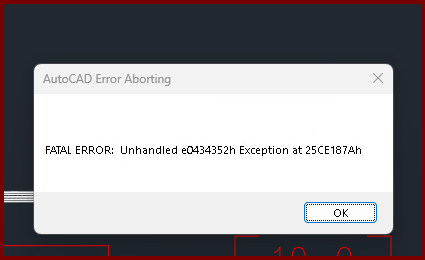
Unhandled e0434352h Exception at 25CE17Ah
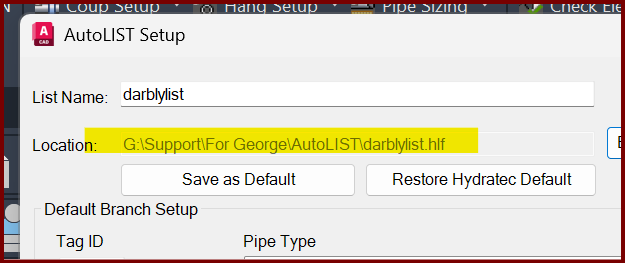
If it's being sent to a Network location, change it to a Local drive location.
Check the location of where you're sending the stocklist file. it seems to be crashing when a non-local drive is selected.
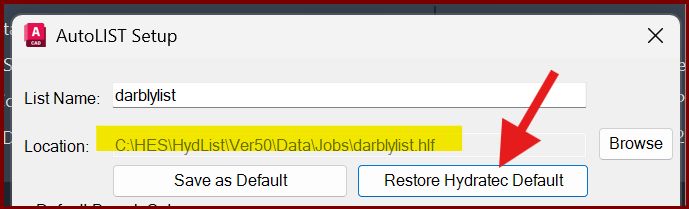
Click the Restore Hydratec Default button and ensure it's reset back to your local drive.
At this time, there doesn't seem to be a workaround.
For now, setup shortcuts in the default hydratec drive of C:\HES\HydList\Ver\Data\Jobs so it's easy to jump to your networked job folder from our default folder.