Need to save a card for later?
Create a bookmark folder in your browser of choice (Chrome, Firefox...), and save individual cards in your bookmarks to view here later.

Standalone HydraCALC Sizer (Location)
Description:
When attempting to open HydraCALC Sizer, you get this error;
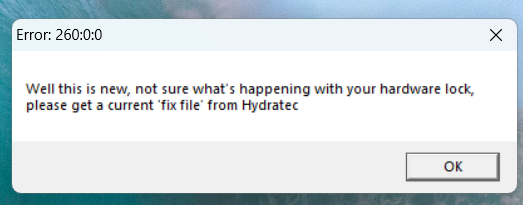
Error:260:0:0
"Well this is new, not sure what's happening with your hardware lock, please get a current 'fix file' from Hydratec"
Software cannot read your license though other applications may work.
1. Ensure sure your HydraKEY application is up-to-date. If you have a red UPDATE button in HydraKEY, click it to download the update. You must then install that update
2. Click the button for 'Update Version Permissions'. This saves a file to your computer, you must then install the update.
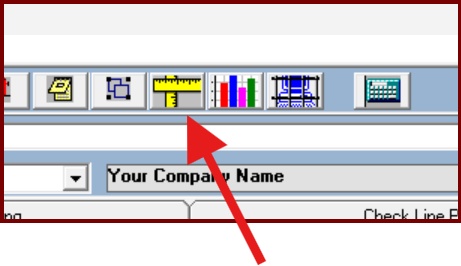
3. Open HydraCALC and click the SIZER button in the ribbon. See if HydraKEY opens. If successful, close HydraCALC then try to open Sizer via the desktop icon.
4. In HydraKEY, with an ACTIVE Perpetual lock (digital), confirm you can see Sizer listed as one of the programs.
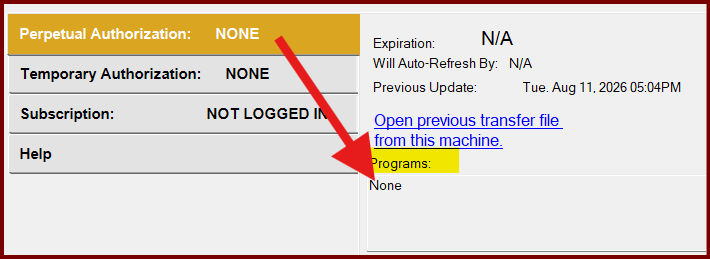
Software cannot read your license though other applications may work.
Please contact the Support Desk (support@hydracad.com), it's best to include a screen shot of your HydraKEY window.
Notes for the support desk, please forward the email to the Legacy Dev Team after receiving the screen shot of the HydraKEY window.