Need to save a card for later?
Create a bookmark folder in your browser of choice (Chrome, Firefox...), and save individual cards in your bookmarks to view here later.

AutoCAD Based Build 3D Risers (Ribbon/Toolbar/Location)
Description:
Trying to insert a fabricated pipe via HydraLIST doesn't show any outlets, ski poles, etc.
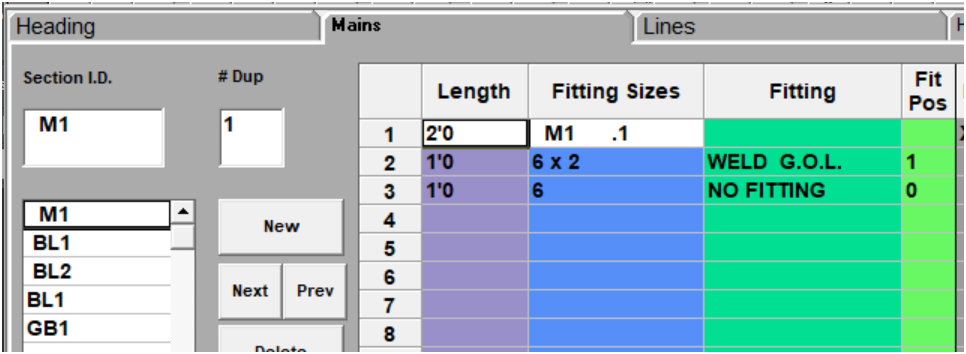
As shown in HydraLIST;
Inserted into HydraCAD;
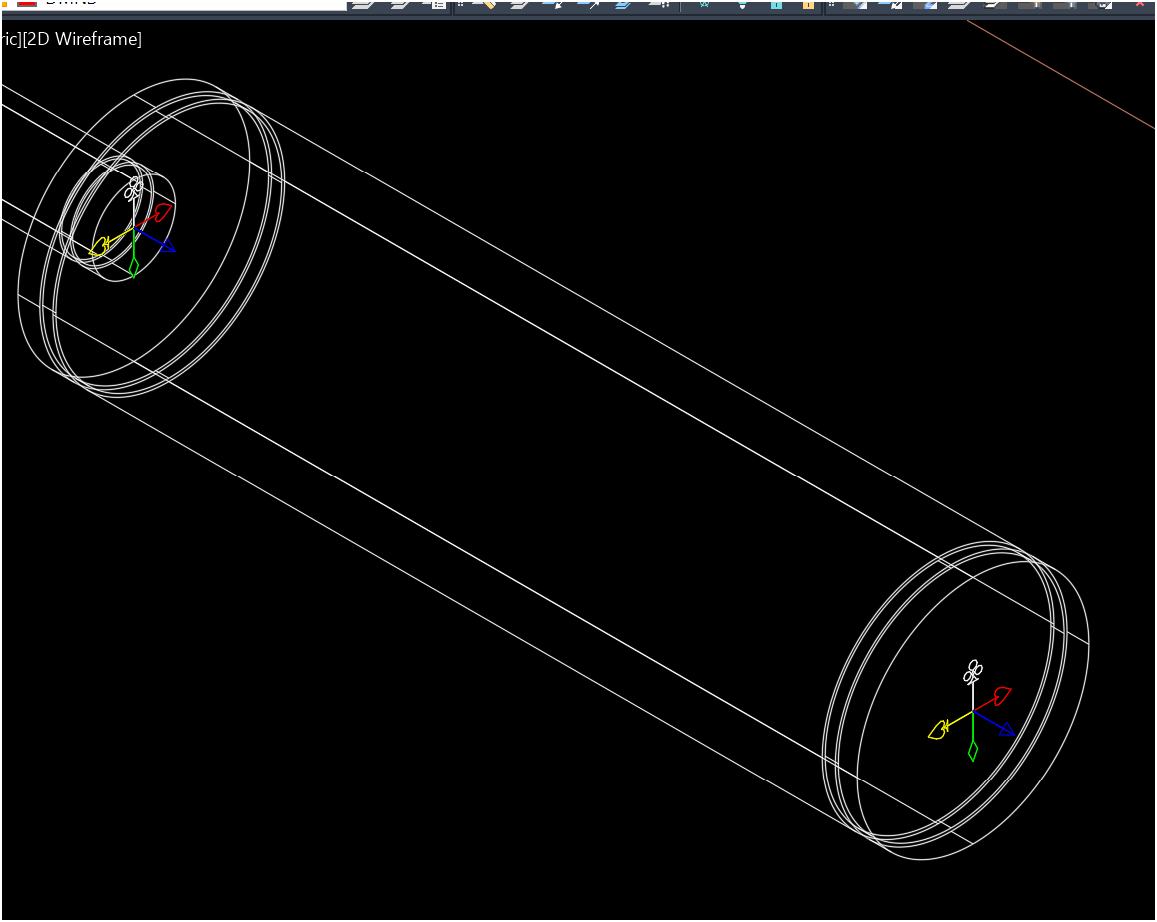
Note, no GOL is shown.
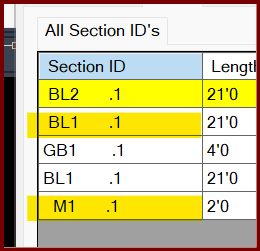
Leading spaces in the ID is the cause. See highlighted entries below which will not show the outlets due to the leading spaces.
GB1 & BL1 do not have leading spaces
Use the RENAME button to rename the ID to remove leading and trailing spaces
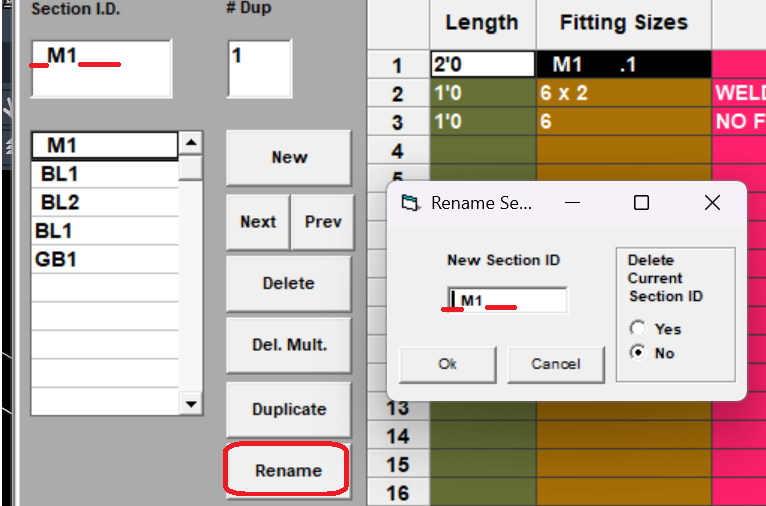
There will now be two M1 entries. "__M1____" and "M1"
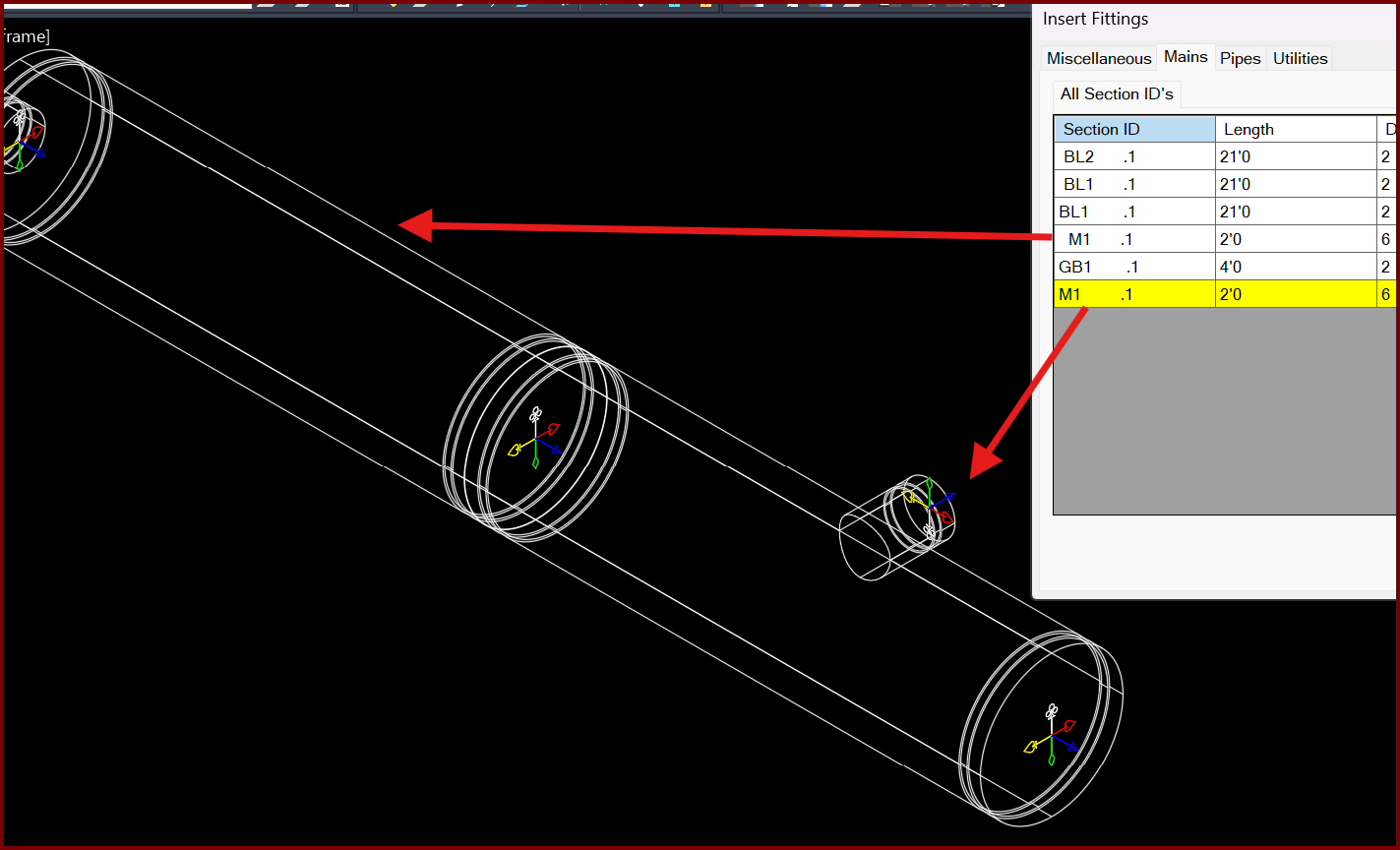
When you insert "M1", you will see the outlets.