Standalone Cards
Total: 279
* On smaller devices swipe left to view hidden table data
| Ribbon/Toolbar (Software) | Button | Function | Error Type | Description | ||
|---|---|---|---|---|---|---|
| Ribbon/Toolbar (Software) | Button | Function | Error Type | Description | ||
| Card 789 View | HydraCALC Sizer (Standalone) | Calcing Model | None | Un-Handled Error 62 | Un-handled error Occured in HydraCALC-Sizer Error #62 |
|
| Card 794 View | HydraCALC Sizer (Standalone) | None | None | None | No error but trying to use the loop sprinkler system doesn't work. It shows the loop only on the right side and it will not adjust when clicking the arrow buttons. |
|
| Card 791 View | HydraCALC Sizer (Standalone) | None | None | Runtime Error | Runtime error 340: control array element of '21' doesn't exist. |
|
| Card 785 View | HydraCALC Sizer (Standalone) | Open | None | Runtime Error | Runtime Error 380 Invalid property value |
|
| Card 788 View | HydraCALC Sizer (Standalone) | Sizing | None | Runtime Error | Runtime Error 94 |
|
| Card 787 View | HydraCALC Sizer (Standalone) | Open | None | Runtime Error | Runtime Error 380 Invalid property value |
|
| Card 792 View | HydraCALC Sizer (Standalone) | None | None | Runtime Error | Runtime error 5 on opening of HydraCALC Sizer. |
|
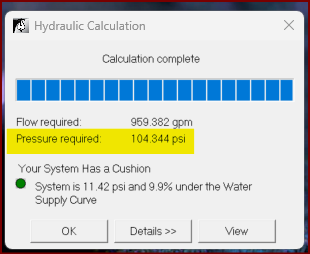
| Card 1486 View | HydraCALC (Standalone) | Calculation Summary | Calculation Results | None | The calculation results shows a pressure requirement which does not show up in the Final Calculation printout In the example below, 104.344 psi is nowhere in the Calculation Sheets of the printout.
|
|
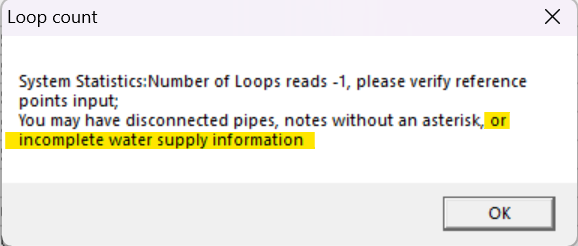
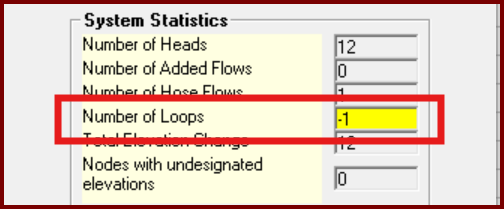
| Card 1438 View | HydraCALC (Standalone) | Calculate | Calculation Results | None | When running a calc, you first get this error indicating a number of possibilities.
Then the Pre-calc Questions window pops up with a warning.
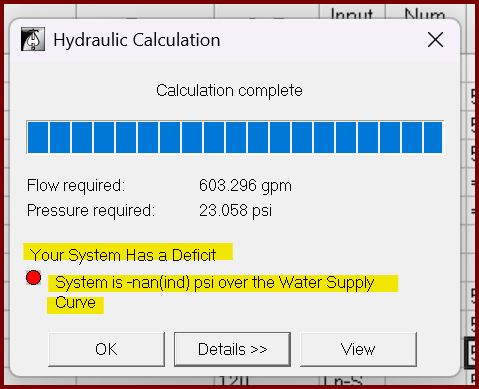
But you go ahead with the calculation anyway and get this result Your System Has a Deficit System is -nan(ind) psi over the Water Supply Curve
|
|
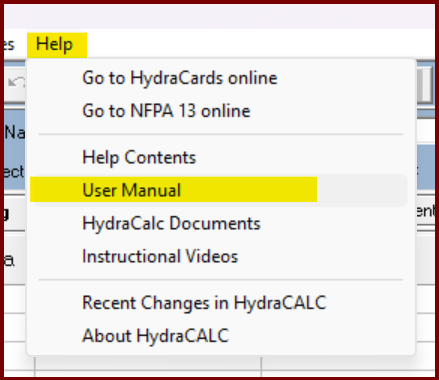
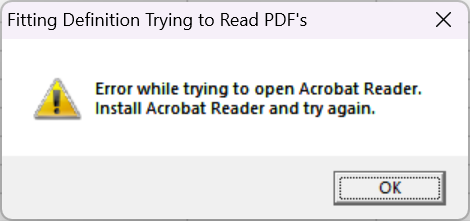
| Card 1430 View | HydraCALC (Standalone) | Help | None | None | When selecting the menu [Help|User Manual], you get the error message; Fitting Definition Trying to Read PDF's Error while trying to open Acrobat Reader. Install Acrobat Reader and try again.
|
|