Need to save a card for later?
Create a bookmark folder in your browser of choice (Chrome, Firefox...), and save individual cards in your bookmarks to view here later.

AutoCAD Based Calculations (Ribbon/Toolbar/Location)
Description:
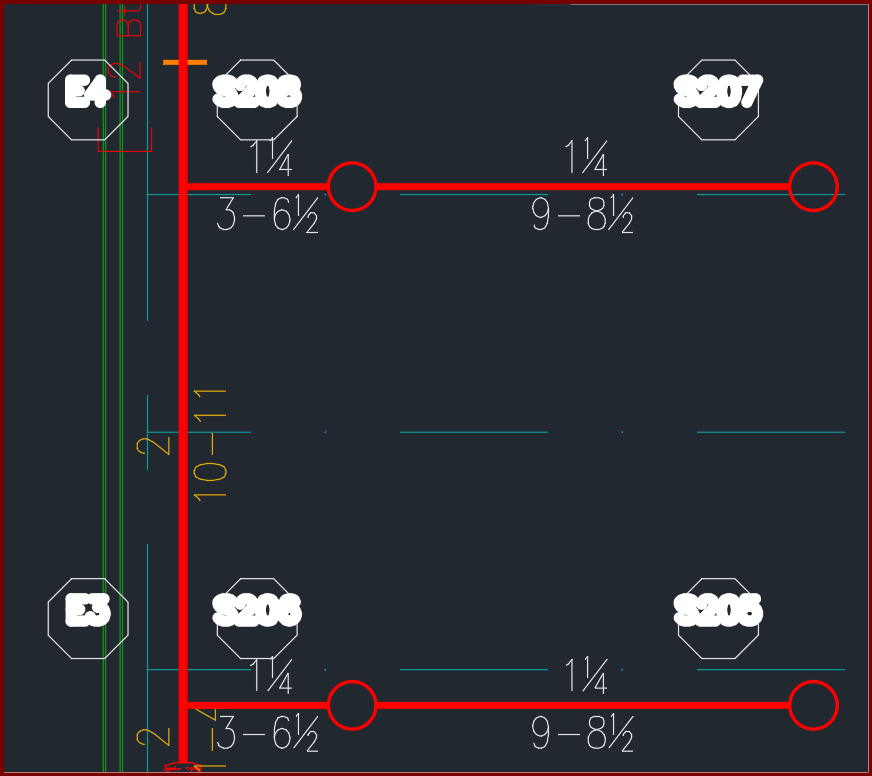
When viewing a plot, hydraulic reference points in the HYD2 layer have thick text. Editing lineweights for the layer does not make a difference.
See solution
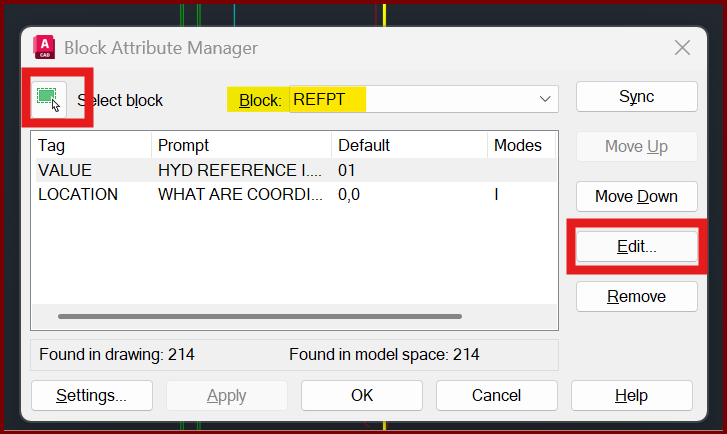
1. At the command prompt, type BATTMAN<enter>
2. Select the green 'select block' button then choose any white hydraulic reference point. The block name should report 'REFPT'. Select the EDIT button
3. Select the PROPERTIES tab, click the dropdown for Lineweight then choose 0.00mm or 'bylayer'. Click OK
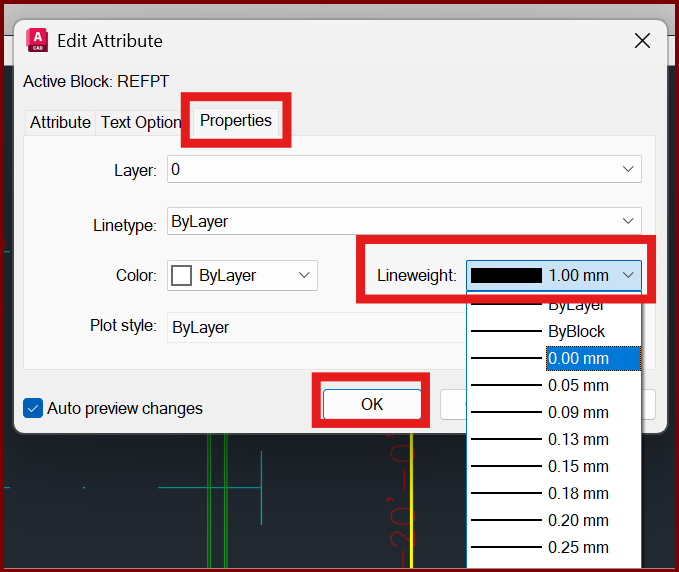
4. In the Block Attribute Manager window select APPLY then OK to close the window. You should be all set.