Need to save a card for later?
Create a bookmark folder in your browser of choice (Chrome, Firefox...), and save individual cards in your bookmarks to view here later.

AutoCAD Based Piping (Ribbon/Toolbar/Location)
Description:
When selecting the pipe to move in the move line command, you get the error;
Error!! Restart command, and select a different pipe..

UCS is not set to world
Set UCS to world. Type UCS <enter> W<enter> and try again
Instead of using UCS to rotate your crosshairs, use the RXH and SXH commands.

Unconfirmed, but check for points or 0" lines along the branch line or main in the SPRKDAT1 or SPRKDAT2 layer
Individually select the pipe to expose the grips, then move the pipes away one at a time. Look for a point or 0" line at a sprinkler or pipe junction.
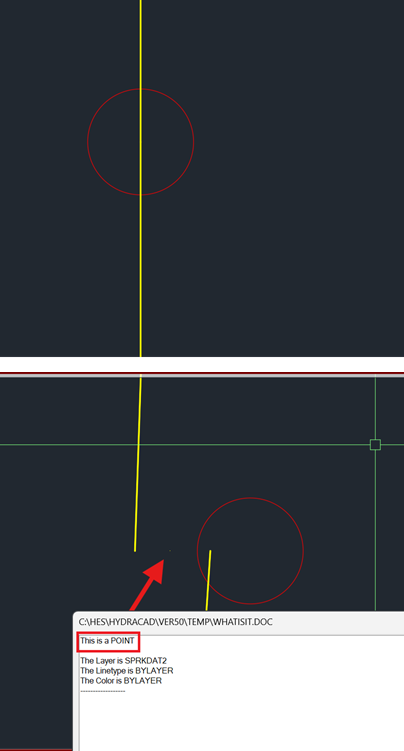
Erase all points or 0" lines found. You can also find them by using the ERASE command then do an enclosed window (blue window) around the sprinkler or intersection, making sure to not fully select the sprinkler or entire length of pipe. If you see an object selected where zero should be selected, you've likely found a point.